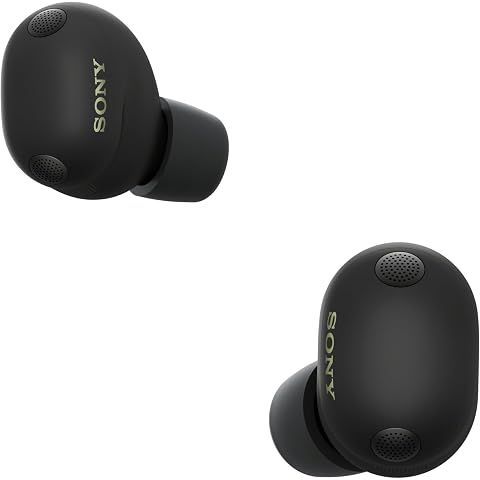
Good news: yes, there's a find feature. Less good news: it's not quite as powerful as what Apple offers with AirPods.
What you can do in the Sony app:
Open the Sound Connect app, head to your headphone settings, and look for the find feature. If your Sony WF-1000XM6 earbuds are nearby and within Bluetooth range (roughly 30 feet), you can make them play a loud sound. Follow the noise, find your earbuds. Simple.
If they're outside Bluetooth range, you'll only see the last known location where they were connected to your phone. Better than nothing, but not exactly GPS tracking.
The limitations are real:
The earbuds have to be OUT of the case and have battery left for the sound feature to work. If they're sitting in the closed case, you can only see where they last connected—no active pinging. And unlike AirPods, there's no crowdsourced network of other Sony users helping you find them. Once they're outside your Bluetooth range, you're basically on your own.
If the battery dies, tracking stops completely.
Making the best of it:
Android folks can use Google's Find My Device network for some extra coverage. Samsung users have SmartThings Find. These aren't perfect, but they help.
My actual advice:
- Turn on location history in the Sony app
- Always, always put the earbuds back in the case when you're done
- Consider sticking a Tile or AirTag on the case for real tracking power
- Get a case with a carabiner clip so you can attach it to your bag
If you've genuinely lost them somewhere public, move fast. Check the app for the last location, retrace your steps, and hope the battery hasn't died yet. Time is not your friend here.
We may earn a commission when you buy through these links, at no extra cost to you. How ShopSavvy makes money
How we researched this
Where this comes from: this answer draws on the product's published specifications and the reviews ShopSavvy collected for it, alongside prices from 1 retailer in ShopSavvy's price data, most recently seen Mar 18, 2026.
📚More About Sony WF-1000XM6 Earbuds
Considering the Sony WF-1000XM6 Earbuds?
Here's our "TLDR" Review
 Download ShopSavvy App
Compare prices across tens of thousands of stores, set price alerts, watch for deals by keyword, and much more.
 Install ShopSavvy Browser Extension
Compare and track prices automatically while you shop online at thousands of websites.
More Answers
If you're still curious about the Sony WF-1000XM6 Earbuds, here are some other answers you might find interesting:
- What is Quick Attention mode on the Sony WF-1000XM6?
Quick Attention is one of those Sony WF-1000XM6 features you don't think you need until you use it—then you wonder how you lived without it. Place your finger...
- How do I know which ear tip size is right for my Sony WF-1000XM6?
Getting the right ear tip size for your Sony WF-1000XM6 seems simple, but it makes a huge difference. Wrong size = weak bass, bad ANC, and earbuds that feel...
- Can I use the Sony WF-1000XM6 with Samsung TV?
Good news: yes, you can pair your Sony WF-1000XM6 with your Samsung TV. Not-so-good news: it's not the seamless experience you might hope for. Pretty...
- Why does my Sony WF-1000XM6 show a poor seal in the app?
That "poor seal" warning in the app? One of the most common complaints about the Sony WF-1000XM6. And one of the most fixable. Here's the thing: the seal...
- What's the difference between LC3 and LDAC codecs on the Sony WF-1000XM6?
Two codecs, two completely different jobs on your Sony WF-1000XM6. Here's when to use which. LDAC is Sony's baby—a high-resolution codec that can push up to...
- Does the Sony WF-1000XM6 have LE Audio support?
Short answer: yes, the Sony WF-1000XM6 supports LE Audio. And it's actually kind of a big deal if you care about gaming or video. Traditional Bluetooth has...
- Can I replace just one Sony WF-1000XM6 earbud if I lose it?
Lost one WF-1000XM6 earbud? Dropped one down a drain? Dog got to it? I feel your pain. The good news: you don't have to buy a whole new set. Call Sony Support...
- Why does the Sony WF-1000XM6 use Bluetooth 5.3 instead of Bluetooth 6?
I've seen this complaint pop up a lot: "Why doesn't the $330 WF-1000XM6 have the latest Bluetooth 6?" Fair question. Let me explain why it's not actually a big...
- What is the difference between 360 Reality Audio and 360 Upmix on the Sony WF-1000XM6?
Sony gives you two ways to get spatial audio on the WF-1000XM6, and they work completely differently. Let me clear up the confusion. This is actual 3D audio,...
- How does the Adaptive NC Optimizer work on the Sony WF-1000XM6?
Ever wonder why your noise cancellation sometimes feels incredible and other times just... okay? That's exactly the problem the Adaptive NC Optimizer is...