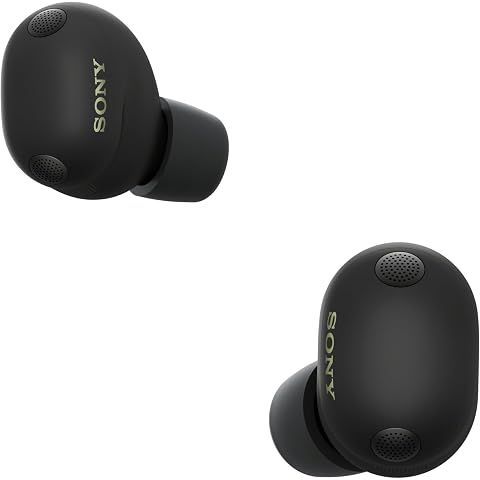
Connecting the Sony WF-1000XM6 to a Windows PC is pretty straightforward. Here's the quick version for both Windows 10 and 11.
For Windows 11:
- Take the earbuds out of the case (they automatically go into pairing mode the first time) or hold both touch sensors for about 5–7 seconds until you hear "Bluetooth pairing"
- Click Start → Settings → Bluetooth & devices
- Make sure Bluetooth is on
- Click "Add device" then "Bluetooth"
- Click "WF-1000XM6" when it shows up
Nice bonus: Windows 11 has this Swift Pair feature. If your earbuds are in pairing mode nearby, you might just get a popup asking if you want to connect. Click yes and you're done.
For Windows 10:
Same idea, slightly different path:
- Get the earbuds into pairing mode
- Settings → Devices → Bluetooth & other devices
- Toggle Bluetooth on
- Click "Add Bluetooth or other device" → "Bluetooth"
- Pick the WF-1000XM6 from the list
After that first pairing:
The earbuds will connect automatically whenever you take them out of the case near your PC. If you have multipoint enabled and they're connecting to your phone instead, you might need to manually switch in the Sony app.
Getting the best audio:
Head to Settings → System → Sound and set the WF-1000XM6 as your output device. For video calls, you'll also want to set them as your input device in whatever app you're using (Zoom, Teams, etc.).
One thing to know:
Windows mostly uses AAC or SBC codec. LDAC support is hit or miss depending on your Bluetooth adapter and drivers. For most people, AAC sounds great anyway, so don't stress about it unless you're a serious audiophile.
We may earn a commission when you buy through these links, at no extra cost to you. How ShopSavvy makes money
How we researched this
Where this comes from: this answer draws on the product's published specifications and the reviews ShopSavvy collected for it, alongside prices from 1 retailer in ShopSavvy's price data, most recently seen Mar 18, 2026.
📚More About Sony WF-1000XM6 Earbuds
Considering the Sony WF-1000XM6 Earbuds?
Here's our "TLDR" Review
 Download ShopSavvy App
Compare prices across tens of thousands of stores, set price alerts, watch for deals by keyword, and much more.
 Install ShopSavvy Browser Extension
Compare and track prices automatically while you shop online at thousands of websites.
More Answers
If you're still curious about the Sony WF-1000XM6 Earbuds, here are some other answers you might find interesting:
- What is Quick Attention mode on the Sony WF-1000XM6?
Quick Attention is one of those Sony WF-1000XM6 features you don't think you need until you use it—then you wonder how you lived without it. Place your finger...
- How do I know which ear tip size is right for my Sony WF-1000XM6?
Getting the right ear tip size for your Sony WF-1000XM6 seems simple, but it makes a huge difference. Wrong size = weak bass, bad ANC, and earbuds that feel...
- Can I use the Sony WF-1000XM6 with Samsung TV?
Good news: yes, you can pair your Sony WF-1000XM6 with your Samsung TV. Not-so-good news: it's not the seamless experience you might hope for. Pretty...
- Why does my Sony WF-1000XM6 show a poor seal in the app?
That "poor seal" warning in the app? One of the most common complaints about the Sony WF-1000XM6. And one of the most fixable. Here's the thing: the seal...
- What's the difference between LC3 and LDAC codecs on the Sony WF-1000XM6?
Two codecs, two completely different jobs on your Sony WF-1000XM6. Here's when to use which. LDAC is Sony's baby—a high-resolution codec that can push up to...
- Does the Sony WF-1000XM6 have LE Audio support?
Short answer: yes, the Sony WF-1000XM6 supports LE Audio. And it's actually kind of a big deal if you care about gaming or video. Traditional Bluetooth has...
- Can I replace just one Sony WF-1000XM6 earbud if I lose it?
Lost one WF-1000XM6 earbud? Dropped one down a drain? Dog got to it? I feel your pain. The good news: you don't have to buy a whole new set. Call Sony Support...
- Why does the Sony WF-1000XM6 use Bluetooth 5.3 instead of Bluetooth 6?
I've seen this complaint pop up a lot: "Why doesn't the $330 WF-1000XM6 have the latest Bluetooth 6?" Fair question. Let me explain why it's not actually a big...
- What is the difference between 360 Reality Audio and 360 Upmix on the Sony WF-1000XM6?
Sony gives you two ways to get spatial audio on the WF-1000XM6, and they work completely differently. Let me clear up the confusion. This is actual 3D audio,...
- How does the Adaptive NC Optimizer work on the Sony WF-1000XM6?
Ever wonder why your noise cancellation sometimes feels incredible and other times just... okay? That's exactly the problem the Adaptive NC Optimizer is...




