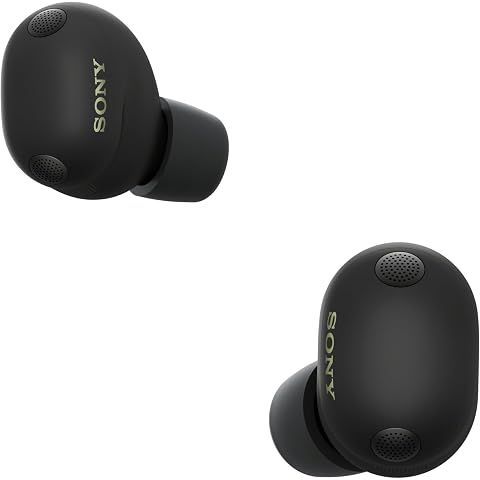
Auracast is a Bluetooth broadcast feature on the Sony WF-1000XM6 that lets multiple listeners tune into the same audio stream simultaneously—like radio, but over Bluetooth. It's part of the LE Audio standard and opens up entirely new ways to share and receive audio.
How Auracast Works
Traditional Bluetooth pairs one device to one set of earbuds. Auracast changes this:
- A compatible device broadcasts an audio stream
- Unlimited listeners with Auracast-compatible earbuds can discover and join
- Each person controls their own volume independently
- Anyone can join or leave without affecting other listeners
Real-World Applications
At home:
- Multiple family members listening to the same TV without disturbing others
- Sharing audio with friends from your phone
- Couples enjoying content together during travel
In public spaces:
- Airports: Receive gate announcements directly in your earbuds
- Gyms: Choose which TV's audio to hear
- Museums: Listen to broadcast audio guides throughout exhibits
- Conference venues: Access live translations or accessibility features
- Sports bars: Select your preferred game's audio
Connecting to an Auracast Broadcast
- Open the Sony Sound Connect app
- Navigate to the Auracast section
- Browse available broadcasts nearby
- Select a broadcast to join
- Adjust volume to your preference
No pairing required—just tap and listen.
Current State of Auracast
Auracast is still in early adoption:
- Most public venues haven't implemented broadcast systems yet
- The broadcasting source must support Auracast
- Your WF-1000XM6 needs the latest firmware version
Looking ahead: As airports, conference centers, sports venues, and other public spaces adopt Auracast technology, this feature will become increasingly practical. The WF-1000XM6's built-in support means you're ready to take advantage as soon as broadcasts become available in your area.
Think of Auracast as future-proofing—the infrastructure is being built, and your earbuds are already prepared for this next evolution in wireless audio.
We may earn a commission when you buy through these links, at no extra cost to you. How ShopSavvy makes money
How we researched this
Where this comes from: this answer draws on the product's published specifications and the reviews ShopSavvy collected for it, alongside prices from 1 retailer in ShopSavvy's price data, most recently seen Mar 18, 2026.
📚More About Sony WF-1000XM6 Earbuds
Considering the Sony WF-1000XM6 Earbuds?
Here's our "TLDR" Review
 Download ShopSavvy App
Compare prices across tens of thousands of stores, set price alerts, watch for deals by keyword, and much more.
 Install ShopSavvy Browser Extension
Compare and track prices automatically while you shop online at thousands of websites.
More Answers
If you're still curious about the Sony WF-1000XM6 Earbuds, here are some other answers you might find interesting:
- What is Quick Attention mode on the Sony WF-1000XM6?
Quick Attention is one of those Sony WF-1000XM6 features you don't think you need until you use it—then you wonder how you lived without it. Place your finger...
- How do I know which ear tip size is right for my Sony WF-1000XM6?
Getting the right ear tip size for your Sony WF-1000XM6 seems simple, but it makes a huge difference. Wrong size = weak bass, bad ANC, and earbuds that feel...
- Can I use the Sony WF-1000XM6 with Samsung TV?
Good news: yes, you can pair your Sony WF-1000XM6 with your Samsung TV. Not-so-good news: it's not the seamless experience you might hope for. Pretty...
- Why does my Sony WF-1000XM6 show a poor seal in the app?
That "poor seal" warning in the app? One of the most common complaints about the Sony WF-1000XM6. And one of the most fixable. Here's the thing: the seal...
- What's the difference between LC3 and LDAC codecs on the Sony WF-1000XM6?
Two codecs, two completely different jobs on your Sony WF-1000XM6. Here's when to use which. LDAC is Sony's baby—a high-resolution codec that can push up to...
- Does the Sony WF-1000XM6 have LE Audio support?
Short answer: yes, the Sony WF-1000XM6 supports LE Audio. And it's actually kind of a big deal if you care about gaming or video. Traditional Bluetooth has...
- Can I replace just one Sony WF-1000XM6 earbud if I lose it?
Lost one WF-1000XM6 earbud? Dropped one down a drain? Dog got to it? I feel your pain. The good news: you don't have to buy a whole new set. Call Sony Support...
- Why does the Sony WF-1000XM6 use Bluetooth 5.3 instead of Bluetooth 6?
I've seen this complaint pop up a lot: "Why doesn't the $330 WF-1000XM6 have the latest Bluetooth 6?" Fair question. Let me explain why it's not actually a big...
- What is the difference between 360 Reality Audio and 360 Upmix on the Sony WF-1000XM6?
Sony gives you two ways to get spatial audio on the WF-1000XM6, and they work completely differently. Let me clear up the confusion. This is actual 3D audio,...
- How does the Adaptive NC Optimizer work on the Sony WF-1000XM6?
Ever wonder why your noise cancellation sometimes feels incredible and other times just... okay? That's exactly the problem the Adaptive NC Optimizer is...




