Earbuds that won't connect are annoying. Let's fix it. Most WF-1000XM5 connection issues are simple to resolve once you know what to try.
Quick Fixes First
Before you start troubleshooting in earnest, try the obvious stuff:
Turn Bluetooth off and on. On your phone, flip Bluetooth off, wait 10 seconds, flip it back on. This fixes more connection issues than you'd expect.
Restart the earbuds. Put them in the case, close the lid, wait 30 seconds, open the lid. It's the earbud equivalent of rebooting your computer.
Check if they're connected to something else. If you have multipoint enabled, your earbuds might have auto-connected to your laptop or tablet instead of your phone. Check the Sony app to see what they're paired to.
Make sure they're charged. Low battery can cause weird connection behavior. If either earbud is below 10%, charge them first.
The Most Common Problem
Here's what usually happens: your phone and earbuds have mismatched pairing data. Your phone thinks it knows the earbuds, the earbuds think they know your phone, but something got corrupted along the way.
The fix is to delete the pairing and start fresh.
On Your Phone
iPhone: Settings > Bluetooth > tap the (i) next to WF-1000XM5 > Forget This Device
Android: Settings > Connected devices > tap the gear next to WF-1000XM5 > Unpair
On the Earbuds
- Put both earbuds in the case
- Keep the lid open
- Press and hold the button on the back of the case for 5+ seconds
- You'll see the LED flash blue twice repeatedly
- They're now in pairing mode
Re-Pair
Go back to Bluetooth settings on your phone. WF-1000XM5 should appear in available devices. Tap it. If it asks for a code, enter 0000.
Done. This fixes probably 90% of connection issues.
The Nuclear Option: Factory Reset
If re-pairing doesn't work, try a full factory reset. This erases everything and returns the earbuds to their out-of-box state.
- Earbuds in case, lid open
- Hold the case button for about 20 seconds
- Wait for the LED to flash white
- Let go
Now the earbuds have forgotten everything. They'll enter pairing mode automatically when you take them out of the case.
Some Platform-Specific Stuff
iPhone users: After pairing, make sure you've also opened the Sony Headphones Connect app. Some features won't work until the app has connected at least once.
Android users: If you're using LDAC and having connection drops, try switching to "Prioritize Stable Connection" in the Sony app. LDAC pushes more data over Bluetooth, which can cause instability in some environments.
Samsung owners: Samsung's aggressive battery optimization can kill Bluetooth connections. If you're having issues, try disabling battery optimization for the Sony app.
When Nothing Works
If you've tried everything and it still won't connect:
- Make sure your earbuds have the latest firmware (check the Sony app)
- Try connecting to a different phone or device to see if the problem is your phone
- If nothing works, you might have a hardware issue. Contact Sony support
We may earn a commission when you buy through these links, at no extra cost to you. How ShopSavvy makes money
How we researched this
Where this comes from: this answer draws on the product's published specifications and the reviews ShopSavvy collected for it, alongside prices from 5 retailers in ShopSavvy's price data, most recently seen Nov 4, 2024.
Discussion
Know something we should add, or spot a detail that has changed? Tell us below. We check it against the maker's information and update the article.
📚More About Sony WF-1000XM5 Earbuds
Where to Buy
| Retailer | Price | Last seen | Buy |
|---|---|---|---|
| $248.00 | Sep 10, 2024 may have changed | ||
| $249.99 | Nov 4, 2024 may have changed | ||
| $249.99 | Nov 4, 2024 may have changed | ||
| $298.00 | Oct 2, 2024 may have changed | ||
| $299.99 | Nov 4, 2024 may have changed |


Price history summary
Lowest new price we recorded at major retailers (Amazon, Walmart, Best Buy, Target, The Home Depot and Lowes) in the last 90 days: $248.00 at Best Buy on Sep 8, 2026.
Range over the last 12 months: $219.00 (Best Buy, Dec 24, 2025) to $328.00 (Best Buy, Oct 9, 2026). Based on 47 recorded prices since Oct 24, 2025 for offers sold by these retailers themselves (not marketplace sellers). Summary as of Oct 15, 2026.
Considering the Sony WF-1000XM5 Earbuds?
Here's our "TLDR" Review
 Download ShopSavvy App

Compare prices across tens of thousands of stores, set price alerts, watch for deals by keyword, and much more.
 Install ShopSavvy Browser Extension

Compare and track prices automatically while you shop online at thousands of websites.
More Answers
If you're still curious about the Sony WF-1000XM5 Earbuds, here are some other answers you might find interesting:
- What is DSEE Extreme on the Sony WF-1000XM5?
DSEE Extreme is one of those features that sounds like marketing fluff but actually works. It's Sony's audio upscaling tech that makes compressed music (like...
- What Bluetooth codecs does the Sony WF-1000XM5 support?
The WF-1000XM5 supports multiple Bluetooth audio codecs, and which one you're using makes a real difference in sound quality. Here's the breakdown. Every...
- How do I customize the touch controls on the Sony WF-1000XM5?
The WF-1000XM5 has touch controls on both earbuds, and you can customize exactly what each tap, double-tap, triple-tap, and hold does. The defaults are fine...
- Are the Sony WF-1000XM5 waterproof?
Short answer: water-resistant, not waterproof. The WF-1000XM5 has an IPX4 rating, which means they can handle sweat and splashes, but don't go swimming with...
- What ear tip size should I use with the Sony WF-1000XM5?
Ear tip size seems like a small thing, but it makes a huge difference with the WF-1000XM5. Wrong size = weak bass, poor ANC, and earbuds that won't stay put....
- How do the Sony WF-1000XM5 compare to AirPods Pro 2?
This is probably the most common question in the premium earbud world: Sony WF-1000XM5 or AirPods Pro 2? Both are fantastic. The "right" choice depends on what...
- Are the Sony WF-1000XM5 good for sleeping or airplane travel?
Thinking of using your WF-1000XM5 for a long flight or even sleeping? Let me break down what to actually expect. The WF-1000XM5 is one of the best things you...
- How do I reset or factory reset the Sony WF-1000XM5?
Something acting weird with your WF-1000XM5? A reset often fixes it. There are two options: a quick soft reset that keeps your settings, or the full factory...
- Can I use only one Sony WF-1000XM5 earbud at a time?
Yes! You can absolutely use just one WF-1000XM5 earbud at a time. Just grab one from the case, leave the other inside, and you're good to go. There are...
- How does Adaptive Sound Control work on the Sony WF-1000XM5?
Adaptive Sound Control is basically your earbuds getting smarter over time. Instead of constantly fiddling with noise cancellation settings, the WF-1000XM5...
Alternatives to Consider
If the Sony WF-1000XM5 Earbuds doesn't quite fit your needs, here are some other options to consider:

Bose QuietComfort Ultra Earbuds
The Bose QuietComfort Ultra Earbuds excel in noise canceling, providing an immersive listening experience. Equipped with advanced spatial audio technology, they enhance the auditory experience, perfect for those seeking to block out surrounding noise while enjoying their music.
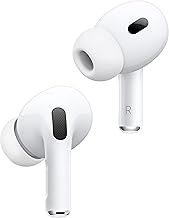
Apple AirPods Pro 2
For those in the Apple ecosystem, the AirPods Pro 2 offer seamless compatibility with features like USB-C charging and excellent iOS integration. The upgraded noise cancellation and immersive audio capabilities rival the WF-1000XM5, making them an appealing alternative.

Sennheiser Momentum True Wireless 4
The Sennheiser Momentum True Wireless 4 offers a premium audio experience with a balanced sound profile, perfect for audiophiles. Boasting slightly longer battery life and advanced connectivity options like aptX Lossless support, these earbuds provide features that are ideal for those seeking both quality and versatility.

Anker Soundcore Liberty 4 NC
Anker's Soundcore Liberty 4 NC earbuds offer robust active noise cancellation and excellent sound quality at a more budget-friendly price. They include USB-C charging and a comfortable fit, making them an excellent choice for folks who want effective noise-canceling without breaking the bank.