Best Laptops for Music Production in 2025

We analyzed top picks from leading reviewers to find the best for every need
Best Picks
Published: February 5th, 2025
1 min read
Last Updated: February 5th, 2025

🎧Choosing the right laptop for music production can be daunting with all the tech specs and options out there. To make things easier, we've looked into all the top sources and feedback to bring you a list of the best laptops that suit different needs and budgets.

Whether you're a seasoned producer or just getting started, this guide will point you towards the perfect laptop for your setup.

🥇
Overall Best: Apple MacBook Pro 16" (M3, 2023)

Apple 2023 MacBook Pro Laptop M3 Pro chip with 12‑core CPU, 18‑core GPU: Built for Apple Intelligence, 16.2-inch Liquid Retina XDR Display, 18GB Unified Memory, 512GB SSD Storage; Space Black

For the ultimate in music production, the Apple MacBook Pro 16” (M3, 2023) stands out as the overall best laptop. Its Liquid Retina XDR display offers stunning visuals, perfect for any detailed audio work. The powerful M3 chip ensures exceptional performance, allowing you to run multiple DAWs, virtual instruments, and plugins smoothly. Besides its raw power, the MacBook Pro boasts a robust build quality, excellent port options, and up to 17 hours of battery life, making it a reliable companion for both studio and on-the-go production. If you’re looking for a laptop that combines power, longevity, and sleek design, this is the go-to option.

Available at Amazon
View at Amazon

More Answers

Still curious about the MacBook Pro 2023 M3 Pro 16-inch? Here are some answers you might find interesting:

🌟
How is the display quality on the MacBook Pro 16 (M3, 2023)?
The display on the MacBook Pro 16" (M3, 2023) is pretty amazing. The manufacturer says it has a [Liquid Retina XDR](https://www.shopsavvy.com/redirect?url=https%3A%2F%2Fwww.amazon.com%2Fs%3Fk%3DLiquid%2BRetina%2BXDR%26tag%3Dssw.ans.tx-1-20) screen which gives you super clear and bright visuals. With a resolution of 3456 x 2234 pixels, everything looks really sharp and detailed. Plus, the mini-LED tech and high contrast ratio mean you get deep blacks and bright whites, making it great whether you’re working or watching something. According to our research, folks have been impressed with its accurate and vibrant colors, and it supports [P3 color space](https://www.shopsavvy.com/redirect?url=https%3A%2F%2Fwww.amazon.com%2Fs%3Fk%3DP3%2Bcolor%2Bspace%26tag%3Dssw.ans.tx-1-20), so it’s perfect if you're into photo or video editing. The [ProMotion](https://www.shopsavvy.com/redirect?url=https%3A%2F%2Fwww.amazon.com%2Fs%3Fk%3DProMotion%26tag%3Dssw.ans.tx-1-20) tech is also a nice touch, giving you fluid scrolling and responsiveness with up to 120Hz refresh rates. The display can handle up to 1,000 nits of regular brightness and peaks at 1,600 nits for HDR content, which means it still looks great even in bright settings. And with [True Tone](https://www.shopsavvy.com/redirect?url=https%3A%2F%2Fwww.amazon.com%2Fs%3Fk%3DTrue%2BTone%26tag%3Dssw.ans.tx-1-20), the color temperature adjusts based on your surroundings, making it easier on your eyes during long sessions. Overall, the screen quality on the MacBook Pro 16" (M3, 2023) is top-notch, so if you're after a laptop with a fantastic display, this one’s a great pick.
💻
What are the differences between the M3 Pro and M3 Max chips in the MacBook Pro 16 (2023)?
Hey! Comparing the M3 Pro and M3 Max chips in the 2023 MacBook Pro 16 can be a bit tricky, but here are the main differences to help you decide which one works best for you. 😊 ### CPU and GPU Core Count The **M3 Pro** chip comes with 12 CPU cores and 18 GPU cores. This combo is great for multitasking and handling tasks like video editing, AI stuff, and 3D rendering pretty well. According to the manufacturer's product description, it's built on a 3-nanometer process, which means it’s efficient and performs better. Now, the **M3 Max** chip ramps things up with 12 CPU cores and a massive 38 GPU cores. This makes it a powerhouse for anything graphics-heavy. So if you're into 3D rendering, gaming, or any intensive graphical work, the M3 Max is your buddy. ### Performance Differences From our research, the M3 Pro gives solid improvements, especially in GPU tasks like ray tracing, and shows slightly better battery life compared to the [M2 Pro](https://www.shopsavvy.com/redirect?url=https%3A%2F%2Fwww.amazon.com%2Fdp%2FB09V3HN4RH%3Ftag%3Dssw.ans.tx-1-20). For everyday stuff, you might not notice a huge difference, but in specialized tasks like [Photoshop](https://www.shopsavvy.com/redirect?url=https%3A%2F%2Fwww.amazon.com%2Fs%3Fk%3Dphotoshop%26tag%3Dssw.ans.tx-1-20) or video editing, the boost is clear. The M3 Max, with all those extra GPU cores, takes performance further. It’s perfect for high-demand tasks like video production or software development that need serious computing power. If you work with large data sets or complex applications, the M3 Max is the way to go. ### Battery Life Both chips use that 3-nanometer process, so they’re pretty power-efficient. However, devices with the M3 Max might use more power because of those extra GPU cores. Overall, though, you’ll still see great battery life thanks to the efficiency gains. ### Ideal Use Cases - **M3 Pro:** Great for general users and professionals who need a fast, reliable machine for multitasking and some heavy-lifting now and then. - **M3 Max:** Best for power users like video editors, 3D artists, and developers who need top performance, especially for graphics-heavy tasks. So, the M3 Pro is awesome if you need solid performance for a variety of tasks. But if you’re often running demanding, GPU-heavy applications, the M3 Max is the better fit. Both upgrades are significant, but it boils down to how you use your MacBook Pro and what you need it for. If you're thinking of upgrading from an [M2 Pro](https://www.shopsavvy.com/redirect?url=https%3A%2F%2Fwww.amazon.com%2Fdp%2FB09V3HN4RH%3Ftag%3Dssw.ans.tx-1-20), consider whether your current setup is holding you back. If it’s not, the performance bump, while noticeable, might not be game-changing for daily use.
🎥
Is the Apple MacBook Pro 16 (M3, 2023) good for video editing?
If you're into video editing, the 2023 Apple MacBook Pro 16 with the [M3 Pro chip](https://www.shopsavvy.com/redirect?url=https%3A%2F%2Fwww.amazon.com%2Fs%3Fk%3Dm3%2Bpro%2Bchip%26tag%3Dssw.ans.tx-1-20) is a solid pick. Our research shows that it performs really well, which is great news for anyone in the creative field. Here's why it stands out for video editing tasks: First, let's talk about the display. The MacBook Pro 16 has a 16.2-inch [Liquid Retina XDR display](https://www.shopsavvy.com/redirect?url=https%3A%2F%2Fwww.amazon.com%2Fs%3Fk%3Dliquid%2Bretina%2Bxdr%2Bdisplay%26tag%3Dssw.ans.tx-1-20), and it's known for its amazing color accuracy and brightness. It supports up to 1600 nits of peak brightness and offers a P3 wide color gamut. So, you get vivid colors and stunning detail—super important when you're working on videos where color accuracy matters a lot. When it comes to performance, the [M3 Pro chip](https://www.shopsavvy.com/redirect?url=https%3A%2F%2Fwww.amazon.com%2Fs%3Fk%3Dm3%2Bpro%2Bchip%26tag%3Dssw.ans.tx-1-20) handles intensive tasks like a champ. Our research indicates that it provides enhanced CPU and GPU performance, so you can expect smooth playback and fast rendering of high-resolution videos. Whether you're dealing with 4K or even 8K footage, the M3 Pro chip should make things go smoothly. Storage and RAM are also crucial for video editors. The 2023 MacBook Pro can be configured with up to 64GB of unified memory and up to 8TB of SSD storage. This means you'll have plenty of space for your projects and the ability to multitask without any lag. The battery life is pretty impressive too. According to the manufacturer, you can get up to 21 hours of battery life, which lets you work on your edits for long stretches without needing to find an outlet. This is super handy if you're working on the go or in places where you can't easily plug in. Plus, the new MacBook Pro includes multiple Thunderbolt ports, HDMI, and an SD card slot. This makes it easier to connect your peripherals and transfer files quickly, which is essential for video editors who often use external drives, monitors, and other accessories. In short, if you're looking for a laptop that meets the demanding needs of video editing, the 2023 Apple MacBook Pro 16 (M3, 2023) is definitely worth considering. It offers a high-quality display, powerful performance, ample memory and storage, and long battery life. According to our research, people have been really happy with its capabilities, especially its high-performance display and processing power.

🥈
Runner-up: Dell XPS 17 (9730)

NewDell XPS 17 9730 Laptop 17 inch UHD 4K Display Touchscreen_Intel i9-13900H 64GB RAM 2TB SSD GeForce RTX 4080 12 GB GDDR6 Webcam Backlit Fingerprint WiFi 6 Thunderbolt 4 Windows 11Pro 1-week Support XPS 17 9730| UHD| 64G 2TB| RTX 4080

For Windows enthusiasts, the Dell XPS 17 (9730) is our runner-up choice. With a generous 17-inch display, it provides ample space for intricate mixing projects, allowing you to keep tabs on multiple tracks without feeling constrained. The XPS 17 is powered by Intel’s 13th gen Raptor Lake-H series processors, delivering impressive performance for demanding audio workflows. This laptop offers a perfect blend of screen real estate, powerful performance, and flexibility, ideal for complex audio projects on a Windows platform.

Available at Amazon
View at Amazon

More Answers

Still curious about the Dell XPS 17 9730 Laptop? Here are some answers you might find interesting:

What are the ports available on the Dell XPS 17 9730?
The Dell XPS 17 9730 has a good mix of ports to cover your connectivity needs. Here's what you get: 1. **[Thunderbolt 4](https://www.shopsavvy.com/redirect?url=https%3A%2F%2Fwww.amazon.com%2Fs%3Fk%3Dthunderbolt%2B4%26tag%3Dssw.ans.tx-1-20) (USB-C) ports**: There are four of these on the XPS 17 9730. These ports are pretty versatile since they support Power Delivery, DisplayPort, fast data transfer, charging, and connecting to external monitors. Great for anyone who needs speedy data access or extra screens. 2. **Full-size SD card reader**: If you're into photography or videography, you'll find this super handy for transferring media from your cameras. 3. **3.5mm headphone/microphone combo jack**: This covers your audio needs for calls, music, or anything else requiring a mic or headphones. 4. **[Kensington security slot](https://www.shopsavvy.com/redirect?url=https%3A%2F%2Fwww.amazon.com%2Fs%3Fk%3Dkensington%2Block%26tag%3Dssw.ans.tx-1-20)**: For those who worry about security, you can use a Kensington lock with this slot to keep your laptop safe. On the downside, there's no traditional USB-A port, so you might need adapters for older devices. Also, according to our research, people liked the Thunderbolt 4 ports for their versatility and speed but missed having built-in Ethernet and HDMI ports—again, adapters might be needed there. Overall, the Dell XPS 17 9730 has a solid array of modern ports that should satisfy most users, especially those who need fast data transfers and flexible connectivity options.
🎮
Is the Dell XPS 17 9730 good for gaming?
The Dell XPS 17 9730 is a pretty solid option for gaming. It’s got some key advantages over the smaller [XPS 15](https://www.shopsavvy.com/redirect?url=https%3A%2F%2Fwww.amazon.com%2Fs%3Fk%3DXPS%2B15%26tag%3Dssw.ans.tx-1-20), specifically in display size, performance, and hardware options. Let's break down what makes it good for gaming. ### Display and Visuals This laptop comes with a big 17-inch UHD+ (3840 x 2400) touch screen. According to the manufacturer's product description, this large, high-res display gives you vibrant colors and sharp details. It's great for gaming because the larger screen can make the gameplay more immersive. That said, it doesn’t have an OLED option, which some folks might miss for the better contrast and color accuracy. ### Performance Performance-wise, it’s impressive. You can get it with up to an Intel i9-13900H processor, which can easily handle high-end gaming. The Nvidia GeForce RTX 4080 GPU means you’ll get great graphics performance too. We found that this setup can handle most modern games smoothly at high settings. Plus, you can have up to 64GB of RAM, so multitasking and running background apps shouldn’t be an issue. ### Cooling and Battery Now, about cooling—gaming laptops can get pretty hot, but the XPS 17 9730 has a more extensive cooling system compared to the [XPS 15](https://www.shopsavvy.com/redirect?url=https%3A%2F%2Fwww.amazon.com%2Fs%3Fk%3DXPS%2B15%26tag%3Dssw.ans.tx-1-20). This makes it bulkier, but it’s a good trade-off for keeping the laptop cool during long gaming sessions. It also has a larger battery, so you might get longer gaming time, though heavy gaming will still drain it pretty quickly. ### Ports and Connectivity You won't have issues connecting stuff with this laptop. It's got four Thunderbolt 4 ports and a full-sized SD card reader, so hooking up peripherals and other accessories is a breeze. This is helpful if you use external monitors or other gaming gear. ### Considerations It’s not perfect, though. According to our research, some drawbacks include the lack of an OLED display and a basic 720p webcam. These might not be deal-breakers for everyone, but they’re worth thinking about if you want the best display quality and webcam performance. ### Conclusion In summary, the [Dell XPS 17 9730](https://www.shopsavvy.com/redirect?url=https%3A%2F%2Fwww.amazon.com%2Fs%3Fk%3DXPS%2B15%26tag%3Dssw.ans.tx-1-20) is a capable gaming laptop with solid performance and a good-sized display. It can handle demanding games well and is great for multitasking. However, if you need something more portable, its size and weight might be a downside. But if you’re looking for a robust gaming machine, the XPS 17 9730 is definitely worth a look.
🌈
How good is the display on the Dell XPS 17 9730?
The **Dell XPS 17 9730** really stands out with its display quality. It comes with a 17-inch UHD 4K touchscreen that's super sharp and vibrant—great for content creators, graphic designers, and anyone who needs detailed visuals. The 3840 x 2400 resolution makes everything from photos to videos look crisp, and the wide color gamut plus excellent brightness is perfect for tasks that need precise color accuracy, like photo editing and 3D rendering. From what we've found, people are especially impressed with how vividly and accurately the screen renders colors. Still, there are a couple of things to keep in mind. While the 4K UHD screen is quite impressive, some folks might miss the deeper blacks and more vivid colors you can get from an [OLED](https://www.shopsavvy.com/redirect?url=https%3A%2F%2Fwww.amazon.com%2Fs%3Fk%3DOLED%26tag%3Dssw.ans.tx-1-20) display. This isn't a huge downside for most, but it's worth noting if you're after the absolute best visual experience. The XPS 17 does deliver excellent visuals, just not with the depth you’d get from OLED. The laptop isn't just about the display, though. It's got top-tier hardware like the [Intel i9-13900H](https://www.shopsavvy.com/redirect?url=https%3A%2F%2Fwww.amazon.com%2Fs%3Fk%3DIntel%2Bi9-13900H%26tag%3Dssw.ans.tx-1-20) processor and [GeForce RTX 4080](https://www.shopsavvy.com/redirect?url=https%3A%2F%2Fwww.amazon.com%2Fs%3Fk%3DGeForce%2BRTX%2B4080%26tag%3Dssw.ans.tx-1-20) GPU, which makes it a beast for demanding applications and gaming. With 64GB of RAM, multitasking and running heavy software like video editors or 3D rendering programs is smooth. According to our research, it handles heat pretty well, although it can get a bit warm during intense use. But the cooling system does its job and keeps things relatively quiet. One small gripe is the 720p webcam. It's fine for basic video calls, but if you need top-notch webcam quality, it might not meet your expectations. Also, the laptop has four [Thunderbolt 4](https://www.shopsavvy.com/redirect?url=https%3A%2F%2Fwww.amazon.com%2Fs%3Fk%3DThunderbolt%2B4%26tag%3Dssw.ans.tx-1-20) ports, which are high-speed and versatile, but you'll need an adapter (included) if you want to connect USB-A and HDMI devices. That can be a bit of a hassle. So, in a nutshell, the Dell XPS 17 9730 has an amazing 4K display that's perfect for professional and creative work. While there are some trade-offs—like no OLED option and a basic webcam—the performance and screen quality make it a solid choice if you need a powerful, high-res laptop.

💸
Best Budget Laptop: ASUS Vivobook 16 M1605

ASUS Vivobook Laptop, 16" FHD+ (1920 x 1200) Display, Intel Core i7-1255U Processor, 16GB RAM, 1TB SSD, Webcam, HDMI, Wi-Fi, Windows 11 Home, Black 16GB RAM | 1TB SSD

When budget is a concern, the ASUS Vivobook 16 M1605 (2023) emerges as a strong contender for music production. Despite its affordable price, it packs decent performance with an AMD Ryzen CPU, making it capable of handling various music production tasks efficiently. The laptop features a full-size keyboard, a sizable touchpad, and up to eight hours of battery life, enhancing its overall usability. While it does come with compromises like a slightly dim display and limited USB-C port functionality, its affordability and reliability make it a solid choice for budding music producers.

Available at Amazon
View at Amazon

More Answers

Still curious about the ASUS Vivobook 16" i7 Laptop? Here are some answers you might find interesting:

🎮
Is the ASUS Vivobook 16 good for gaming?
The ASUS Vivobook 16 is a solid laptop with a 16" FHD+ display and an Intel Core i7-1255U processor. It's great for work, multimedia, and general everyday use, thanks to its 16GB of RAM and 1TB SSD, which help with smooth multitasking and fast data access. Plus, it's sleek and portable, making it convenient for on-the-go use, and it comes with [Windows 11 Home](https://www.shopsavvy.com/redirect?url=https%3A%2F%2Fwww.amazon.com%2Fs%3Fk%3Dwindows%2B11%2Bhome%26tag%3Dssw.ans.tx-1-20) for an easy-to-use interface. But if you're thinking about gaming, it might not be the best fit. According to our research, while the laptop is speedy and handles general tasks well, it struggles with more demanding games. The integrated Intel Iris Xe graphics are okay for lighter games and older titles but won't cut it for more resource-intensive ones at high settings. For serious gaming, you'd probably need something with a dedicated graphics card. We've also found some areas where the Vivobook 16 could improve. For example, the keyboard has received mixed feedback; some folks feel the keys are a bit too light. The display is clear and high-def, but the speakers aren't the best, which might impact your multimedia experience. Another thing to keep in mind is battery life. The manufacturer claims up to eight hours of web browsing, but our research suggests that battery life drops a lot during more intensive tasks like gaming. So, you might find yourself reaching for the charger more often if you're planning long gaming sessions. In short, the ASUS Vivobook 16 is a great choice for work, multimedia, and daily tasks due to its performance, display, and portability. However, if gaming is your main focus, you might want to check out other laptops with better graphics and longer battery life under load.
How is the display quality on the ASUS Vivobook 16?
The ASUS Vivobook 16 has a 16-inch FHD+ (1920 x 1200) display, and it’s known for delivering sharp and vibrant visuals. It’s great for watching movies, browsing the web, and handling everyday tasks. Our research shows that people generally like the display for its clarity and color accuracy, which seems to be one of its strong points. The laptop also packs an [Intel Core i7-1255U](https://www.shopsavvy.com/redirect?url=https%3A%2F%2Fwww.amazon.com%2Fs%3Fk%3DIntel%2BCore%2Bi7-1255U%26tag%3Dssw.ans.tx-1-20) processor, 16GB of RAM, and a 1TB SSD, so it's pretty powerful. But sticking to your question about the display—folks seem pretty happy with its high-definition quality. Someone even mentioned that it makes watching movies and web browsing a better experience. This lines up well with what the manufacturer claims about the screen quality. There are a few minor downsides, though. While the display is great, the sound quality from the speakers isn’t as impressive. The speakers are located at the bottom, so the sound sometimes gets muffled. Some people have found that propping up the back of the laptop a bit can help with this. Aside from the display, users have noted that it's easy to set up and runs smoothly. There's praise for the processor speed and overall responsiveness, which definitely complements the display quality. But some have pointed out that the keyboard feel could be better and that they’d like more ports. All in all, the display on the ASUS Vivobook 16 is a definite highlight, making it a solid choice for both work and entertainment. While it has a few quirks like the audio setup and keyboard, it still offers a really good visual experience.

Best Mid-Range Laptop: Apple MacBook Air 15" (M3, 2024)

2024 MacBook Air 15-inch Laptop with M3 chip: Built for Apple Intelligence, 15.3-inch Liquid Retina Display, 8GB Unified Memory, 256GB SSD Storage, Backlit Keyboard, Touch ID; Space Gray

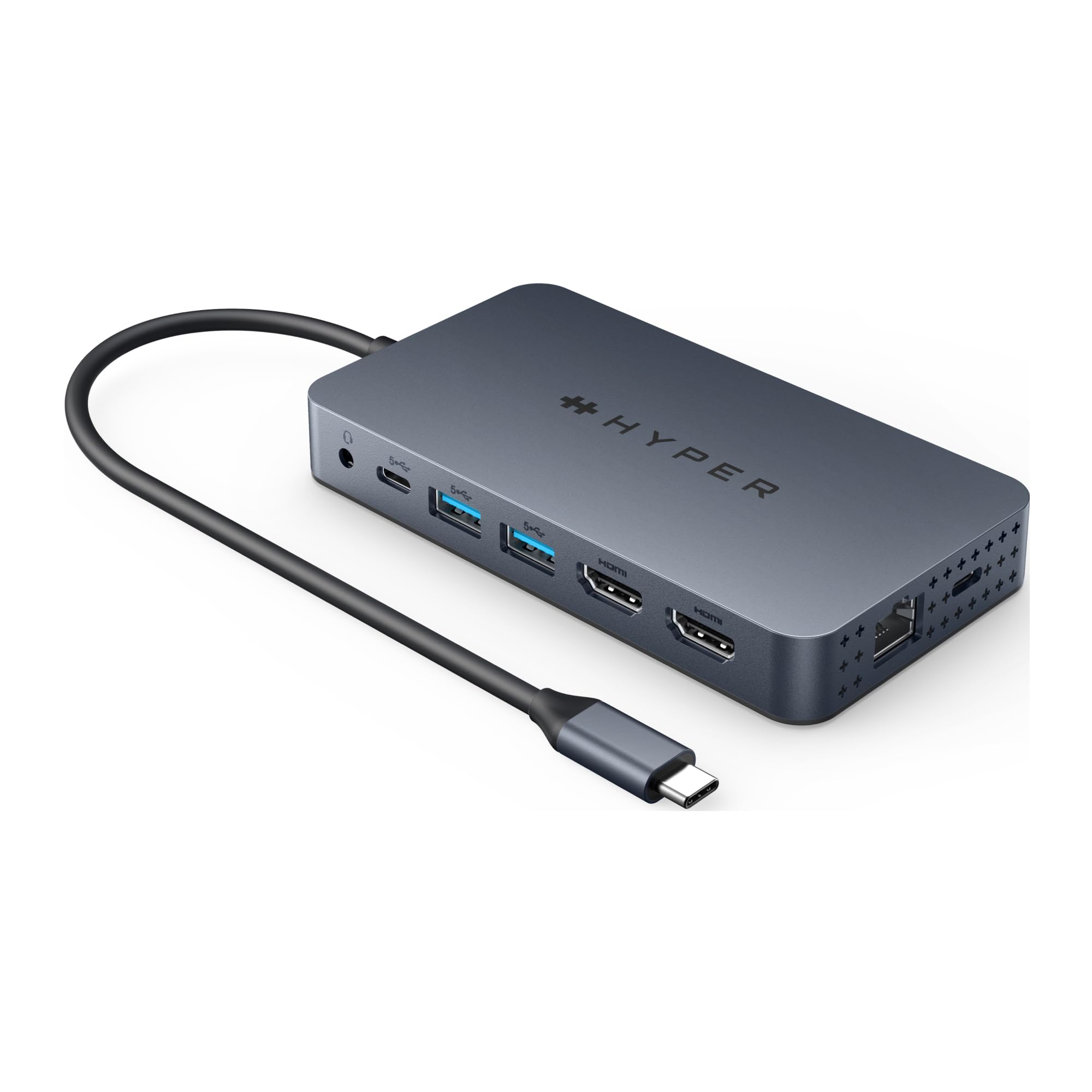
For those seeking a mid-range option, the Apple MacBook Air 15" (M3, 2024) offers a remarkable balance of performance and affordability. This fanless laptop ensures silent operation, crucial for recording sessions. Its 15-inch Retina display and up to 24GB of RAM equip it to handle various music production tasks with ease. The lightweight design and up to 18 hours of battery life make it a portable powerhouse. While it has limited ports, this can be mitigated with a good USB-C dock, making the MacBook Air a versatile choice for producers on the move.

Available at Amazon
View at Amazon

More Answers

Still curious about the MacBook Air 15-inch (2024)? Here are some answers you might find interesting:

💻
Does the MacBook Air 15-inch M3 have a fan?
Yeah, the 2024 MacBook Air 15-inch with the M3 chip doesn't have a fan. The fan-less design helps keep it super thin and lightweight, which is great for portability and keeping things quiet. But, there are some trade-offs if you're doing more demanding tasks. The M3 chip in this MacBook Air offers a big boost in performance and efficiency, so it's great for everyday activities like browsing, word processing, watching videos, and even some light video editing or casual gaming. The manufacturer claims this chip enhances processing power while staying energy-efficient. However, because there's no fan, the MacBook Air can slow down to prevent overheating during intense tasks like complex video editing or heavy gaming. Our research found that this can lead to occasional slowdowns when the system gets too hot. For light gaming and less demanding applications, it works fine. The integrated GPU can handle older or less demanding games well. But if you're into high-end, graphically intensive games, this laptop might not be ideal, as you might notice some lag or slowdowns. Also, the MacBook Air 15-inch supports connecting to two external displays, but only when the laptop lid is closed. This could be a limitation if you want to use multiple monitors with the lid open. And there's just two USB-C ports, which could be a downside if you need to connect a lot of peripherals. So, if you're mainly doing typical productivity tasks, some multimedia work, and general office stuff, the 2024 MacBook Air 15-inch with the M3 chip is a good choice. But if you need a machine for high-end gaming or very intensive tasks, you might be better off with a [MacBook Pro](https://www.shopsavvy.com/redirect?url=https%3A%2F%2Fwww.amazon.com%2Fs%3Fk%3Dmacbook%2Bpro%26tag%3Dssw.ans.tx-1-20) or a high-performance [Windows laptop](https://www.shopsavvy.com/redirect?url=https%3A%2F%2Fwww.amazon.com%2Fs%3Fk%3Dwindows%2Blaptop%26tag%3Dssw.ans.tx-1-20) that has a dedicated GPU and more robust cooling.
💻
Can the MacBook Air 15-inch M3 handle video editing?
Yeah, the MacBook Air 15-inch M3 can definitely handle video editing. It’s got the M3 chip from Apple’s 2024 lineup, which means it's built for both everyday stuff and more demanding tasks like video editing. The M3's architecture and performance make it a good fit for those needs. Plus, it's lightweight and portable without skimping on power, so if you're editing on the go, it’s a solid choice. From what we found, the high-res Retina display is perfect for video editing. It gives you a clear and crisp view, which is super important for making detailed edits. The battery life is also pretty impressive, so you should be able to work longer without needing to charge all the time. On top of that, it supports up to 24GB of unified memory, which is more than enough for using video editing software like [Final Cut Pro](https://www.shopsavvy.com/redirect?url=https%3A%2F%2Fwww.amazon.com%2Fs%3Fk%3Dfinal%2Bcut%2Bpro%26tag%3Dssw.ans.tx-1-20) and [Adobe Premiere Pro](https://www.shopsavvy.com/redirect?url=https%3A%2F%2Fwww.amazon.com%2Fs%3Fk%3Dadobe%2Bpremiere%2Bpro%26tag%3Dssw.ans.tx-1-20). The integrated 10-core GPU in the M3 chip helps with rendering and editing videos efficiently as well. And with Wi-Fi 6E, you’ll get faster and more reliable internet, which is handy for uploading or downloading large video files. All in all, the MacBook Air 15-inch M3 is a good option if you’re looking to mix portability with solid performance for video editing.
💻
How does the M3 chip improve performance in the MacBook Air 15-inch?
The 2024 MacBook Air 15-inch with the M3 chip is quite the performer. It's got an 8-core CPU and can go up to a 10-core GPU, so it can handle pretty demanding stuff like video editing without much fuss. According to our research, the 8GB of unified memory and 256GB SSD combo helps keep things running smoothly, even when you're juggling multiple apps or working on complex projects. You shouldn't see much lag at all. We've found that many people appreciate how well it runs video editing software. One user even mentioned how great it was for keeping tasks organized while working at a busy café. Folks also love the snappy performance, vibrant display, and overall usability, making it a solid choice for both work and play. Plus, compared to older [MacBook Pro](https://www.shopsavvy.com/redirect?url=https%3A%2F%2Fwww.amazon.com%2Fs%3Fk%3Dmacbook%2Bpro%26tag%3Dssw.ans.tx-1-20) models, this new MacBook Air has better battery life and stays cooler, which is awesome for long editing sessions. That said, keep in mind it doesn't have the active cooling system that the MacBook Pros have. So if you're pushing it with really intensive tasks, you might notice some thermal throttling, which could slow things down a bit. For heavy-duty video editing, a machine with more RAM and better cooling might be worth considering. But honestly, for general video editing and everyday use, the 2024 MacBook Air 15-inch with the M3 chip is a sweet spot. It's portable, powerful enough, and has great battery life, making it a great fit for most people. Whether you're a student, a creative pro, or just need a reliable laptop for multimedia tasks, this MacBook Air is a solid pick.

Best 2-in-1 Laptop: Microsoft Surface Pro 9

Microsoft Surface Pro 9 Tablet - 13" - Core i7 12th Gen i7-1265U Deca-core (10 Core) - 16 GB RAM - 256 GB SSD - Windows 11 Pro 64-bit - Graphite

If you prefer the flexibility of a 2-in-1 device, the Microsoft Surface Pro 9 is an excellent pick. Blending the power of a laptop with the convenience of a tablet, this machine comes equipped with a 12th gen Intel Core i7 processor, 16GB of RAM, and a 256GB SSD. This setup provides ample power and storage for music production tasks. Its 13" display supports pen input, useful for notation tasks, and while its battery life clocks in around eight hours during intensive use, its versatility and performance make it a standout choice for mobile music production.

Lowest at any Popular Retailer
$1,645.99 at Amazon

More Answers

Still curious about the Microsoft Surface Pro 9? Here are some answers you might find interesting:

💻
Can you upgrade the SSD on the Microsoft Surface Pro 9?
Upgrading the SSD on the Microsoft Surface Pro 9 isn’t the easiest thing. According to the manufacturer's product description, it's user-replaceable. So, yes, it's possible, but it’s not super straightforward. You'll need to be a bit tech-savvy or familiar with hardware upgrades to do this without causing any damage. Also, keep in mind that opening the device might void the warranty based on Microsoft's policies, so double-check that before you go ahead. Our research indicates that some folks have managed to upgrade their Surface Pro 9's SSD by following detailed guides online. The process usually involves removing the kickstand and carefully accessing the internals. If you’re not comfortable with this, it might be better to get professional help or stick with what you have. If the idea of upgrading feels too complicated, you’ve got other options. You can use an [external SSD](https://www.shopsavvy.com/redirect?url=https%3A%2F%2Fwww.amazon.com%2Fs%3Fk%3Dexternal%2BSSD%26tag%3Dssw.ans.tx-1-20) or a [microSD card](https://www.shopsavvy.com/redirect?url=https%3A%2F%2Fwww.amazon.com%2Fs%3Fk%3DmicroSD%2Bcard%26tag%3Dssw.ans.tx-1-20) for extra storage. These choices have their own pros and cons but are generally easier and less risky than opening up the device. So, while you can upgrade the SSD on a Surface Pro 9, it might not be for everyone. It really depends on how comfortable you are with hardware tweaks. For many people, external storage options are simpler and safer.
🎮
Is the Microsoft Surface Pro 9 good for gaming?
The Microsoft Surface Pro 9 is pretty versatile, but let's talk about whether it's good for gaming. It comes with an Intel Core i7-1265U processor and a modular SSD, which means you can upgrade the storage yourself. In fact, some people have upgraded to a 2TB SSD without much trouble, showing that it's quite user-friendly in that aspect. But for gaming, storage isn't the only thing that matters. The Surface Pro 9 has integrated [Intel Iris Xe Graphics](https://www.shopsavvy.com/redirect?url=https%3A%2F%2Fwww.amazon.com%2Fs%3Fk%3DIntel%2BIris%2BXe%2BGraphics%26tag%3Dssw.ans.tx-1-20), which, based on our research, can handle lighter and older games pretty well. Casual games and less demanding titles should run smoothly, but don't expect to play the latest AAA games on high settings. If you need more storage for games, the Surface Pro 9 has two USB-C ports that support [Thunderbolt 4](https://www.shopsavvy.com/redirect?url=https%3A%2F%2Fwww.amazon.com%2Fs%3Fk%3DThunderbolt%2B4%26tag%3Dssw.ans.tx-1-20). This allows you to connect high-speed external drives, which is great for keeping a larger game library. Battery life is another thing to consider. The Surface Pro 9 offers decent battery life for regular use, but gaming will drain it faster. So, it's probably not the best choice for long gaming sessions unless you're plugged in. In short, if you're into casual gaming or older, less demanding games, the Surface Pro 9 should work well for you. It's portable, and you can upgrade the storage. But if you want to play the newest games at high settings, you might need a device with a dedicated graphics card.
💻
How does the Intel version of the Surface Pro 9 compare to the ARM version?
When comparing the Intel version of the Surface Pro 9 to the ARM version, there are key differences to keep in mind to help you decide which one suits your needs better. ### Performance and Compatibility The Intel version is powered by 12th-generation Intel Core processors, offering solid performance for a wide range of tasks. According to our research, it's great for multitasking, complex computations, and software that relies on x86 architecture. This makes it a good choice if you'll be using traditional Windows applications or any resource-heavy productivity software. On the flip side, the ARM version comes with the Microsoft SQ3 processor, developed with Qualcomm. It's great for energy efficiency and connectivity, including 5G. However, it might not work as seamlessly with all legacy Windows applications. According to our research, some software might not run as smoothly or may not be supported at all because of the ARM architecture. ### Battery Life and Connectivity The ARM version generally has longer battery life due to its efficient architecture. The manufacturer claims you can get up to 19 hours of battery on the ARM version compared to about 15.5 hours on the Intel model, which makes the ARM version more appealing if you're always on the move. Another thing is that the ARM version supports 5G, which the Intel one doesn't. If you often find yourself in areas with strong 5G coverage and need faster data speeds, this could be a big deal for you. ### Software and User Experience When it comes to software, apps optimized for ARM, like certain versions of [Microsoft Office](https://www.shopsavvy.com/redirect?url=https%3A%2F%2Fwww.amazon.com%2Fs%3Fk%3Dmicrosoft%2Boffice%26tag%3Dssw.ans.tx-1-20), run efficiently on the ARM version. But, the Intel version has broader compatibility with third-party applications. According to our research, the user experience can vary between the two, especially with professional software. The Intel version might be more reliable here because of its established architecture and better software support. ### Audio and Accessories Both versions of the Surface Pro 9 don't have a headphone jack and rely on Bluetooth or USB-C for audio. While modern, this might be inconvenient if you prefer wired headphones for better sound quality. Our research suggests that while Bluetooth headphones work well, the call audio quality isn't quite as good as wired headsets. ### Conclusion So, which one should you go for? Here's the rundown: - **Choose the Intel version** if you need strong performance, compatibility with traditional Windows apps, and don't care much about 5G. - **Go for the ARM version** if you want longer battery life, 5G support, and are okay with navigating the limited app compatibility for some Windows applications. Hope this helps you decide which version aligns best with what you need!

Best for Gamers: Razer Blade 15 Studio Edition

For those who need a laptop that can handle both gaming and music production, the Razer Blade 15 Studio Edition is an exceptional option. It features up to a GeForce RTX 4070 GPU and a 15.6-inch OLED 4K Touch display, delivering stunning visuals and robust performance. With 32GB to 64GB of RAM, it effortlessly manages demanding tasks and large project files. While its design roots are in gaming, its high-end specs and performance make it a formidable option for creative professionals needing a powerful and versatile machine.

Available at Amazon
View at Amazon
How we researched this

How we chose these: We looked at around 6 products in this category, compared prices across thousands of retailers, and read through hundreds of user reviews. We also tracked how prices have changed over the past few months to get a sense of value.

Get ShopSavvy
ShopSavvy is totally free and works on all popular phones and browsers
Download ShopSavvy AppDownload ShopSavvy App

Compare prices across thousands of stores in real-time, set price alerts, watch for deals by keyword, and much more.

Install ShopSavvy Browser ExtensionInstall ShopSavvy Browser Extension

Compare and track prices automatically while you shop online at thousands of websites.

🥇 ShopSavvy Best Picks
Expert recommendations for the best overall, budget, and specialized product picks.
Our researchers bring you our top recommendations. Each article usually highlights the best overall choice, a budget-friendly option, and picks for specific needs, helping you shop smarter and with confidence.

🔥 Trending Deals

Latest Deals

🛍️
🛍️
🛍️
🛍️
🛍️
🛍️
🛍️
🛍️
🛍️
🛍️
🛍️
🛍️
🛍️
🛍️
🛍️
🛍️
🛍️
🛍️
🛍️
🛍️
🛍️
🛍️
🛍️
🛍️
🛍️
🛍️
🛍️
🛍️
🛍️
🛍️
🛍️
🛍️
🛍️
🛍️
🛍️
🛍️
🛍️
🛍️
🛍️
🛍️
🛍️
🛍️
🛍️
🛍️
🛍️
🛍️
🛍️
🛍️
🛍️
🛍️
🛍️
🛍️
🛍️
🛍️
🛍️
🛍️

3 months ago
🛍️
🛍️
🛍️
🛍️
🛍️
🛍️
🛍️
🛍️
🛍️
🛍️
🛍️
🛍️
🛍️
🛍️
🛍️
🛍️
🛍️
🛍️
🛍️
🛍️
🛍️
🛍️
🛍️
🛍️
🛍️
🛍️
🛍️
🛍️
🛍️
🛍️
🛍️
🛍️
🛍️
🛍️
🛍️
🛍️
🛍️
🛍️
🛍️
🛍️
🛍️
🛍️
🛍️
🛍️
🛍️
🛍️
🛍️
🛍️
🛍️
🛍️
🛍️
🛍️
🛍️
🛍️
🛍️
🛍️

3 months ago