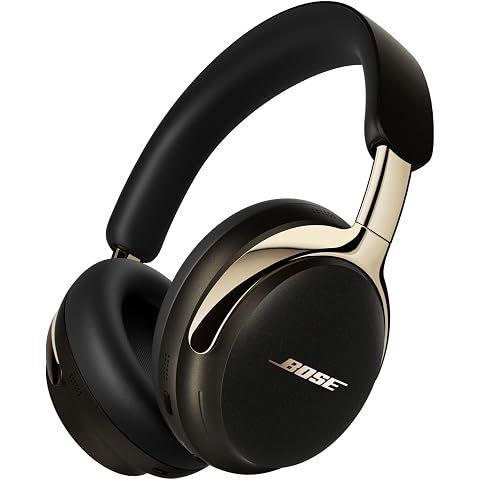
The bass-heavy sound is intentional and commonly noted by reviewers—but it's easily corrected.
Why It Sounds This Way
Bose uses "consumer-friendly" tuning designed for retail demos:
| Frequency Range | Tuning | |-----------------|--------| | Bass | +3-6dB emphasis (the issue) | | Mids | Recessed | | Treble | Bright |
This impresses during brief store demos but causes muddy, congested sound with vocal-heavy music, podcasts, and acoustic content.
The Quick Fix
Bose Music app → Settings → Sound → Equalizer
| Adjustment | Setting | |------------|---------| | Bass | -2 to -3 dB | | Mids | 0 or +1 dB | | Treble | Neutral |
This simple change transforms the sound from boomy to clear. Multiple reviewers describe it as "night and day."
Also Check These
Seal Quality: Gaps between earcups and your head (common with glasses) affect bass response. Ensure full, even contact.
CustomTune Calibration: Remove and replace headphones to trigger fresh calibration—suboptimal calibration affects frequency balance.
Immersive Audio: Toggle off temporarily. Spatial processing can affect perceived bass on some content.
2nd Gen Improvement
The 2nd Gen has better tuning than the original:
- Improved midrange presence
- Less treble harshness (1st Gen had a peak around 8kHz)
However, the bass emphasis remains. Most users still benefit from EQ adjustment regardless of generation.
We may earn a commission when you buy through these links, at no extra cost to you. How ShopSavvy makes money
How we researched this
Where this comes from: this answer draws on the product's published specifications and the reviews ShopSavvy collected for it, alongside prices from ShopSavvy's price data.
 Download ShopSavvy App
Compare prices across tens of thousands of stores, set price alerts, watch for deals by keyword, and much more.
 Install ShopSavvy Browser Extension
Compare and track prices automatically while you shop online at thousands of websites.
More Answers
If you're still curious about the , here are some other answers you might find interesting:
- 💰 Is it worth upgrading from the original QuietComfort Ultra to the 2nd Gen?
For current QuietComfort Ultra (1st Gen) owners, the 2nd Gen offers incremental improvements that won't justify the $449 cost for most users. | Feature | 1st...
- 🔧 How do I reset or troubleshoot connection issues?
Connection issues are frustrating but usually fixable. Here's a systematic troubleshooting approach for the QuietComfort Ultra (2nd Gen). | Issue | Solution |...
- ✈️ Can I use these headphones on airplanes?
The Bose QuietComfort Ultra (2nd Gen) excels in airplane environments—arguably the use case where premium noise-cancelling headphones deliver the most dramatic...
- 👂 What is CustomTune and how does it work?
CustomTune is Bose's proprietary technology that automatically calibrates audio and noise cancellation for your specific ear geometry. | Step | What Happens |...
- 🎛️ How do I customize the EQ settings for better sound quality?
The Bose Music app offers EQ customization for the QuietComfort Ultra (2nd Gen), though options are simpler than some competitors. Bose Music app → Settings →...
- 💧 Are the Bose QuietComfort Ultra Headphones waterproof or sweat-resistant?
The Bose QuietComfort Ultra Headphones (2nd Gen) have no water or sweat resistance rating. Not Recommended For: Gym workouts or exercise with sweating Outdoor...
- 📞 Are these headphones good for phone calls?
The Bose QuietComfort Ultra (2nd Gen) delivers solid phone call performance, with improved microphone quality over the 1st Gen model. | Environment | Call...
- 🎧 What is Immersive Audio and how do I set it up?
Immersive Audio is Bose's spatial audio technology that creates a three-dimensional listening experience from any stereo content—no special encoding required....
- 🔌 Can I use these headphones wired with a cable?
The Bose QuietComfort Ultra (2nd Gen) supports two wired connection methods—a notable upgrade over the 1st Gen. | Connection | Cable Included | Key Benefits |...
- 😌 Are these headphones comfortable for wearing all day?
The Bose QuietComfort Ultra (2nd Gen) ranks among the most comfortable over-ear headphones available, specifically designed for extended wear. | Aspect |...