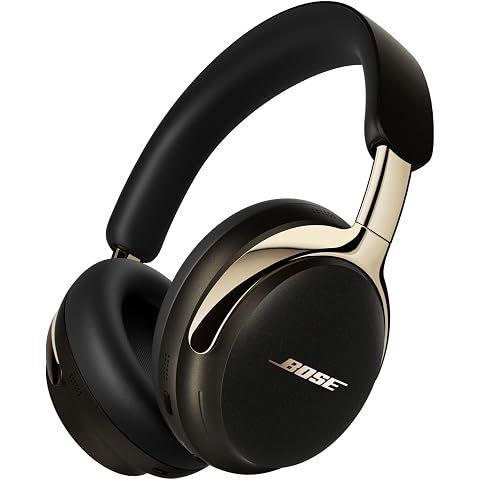
Connection issues are frustrating but usually fixable. Here's a systematic troubleshooting approach for the QuietComfort Ultra (2nd Gen).
Quick Fixes (Try First)
| Issue | Solution | |-------|----------| | Dropouts/stuttering | Move closer to device, away from WiFi routers | | Won't reconnect | Toggle Bluetooth off/on on your device | | General issues | Power cycle (off 10 sec, on) | | Intermittent problems | Charge above 20% |
Step-by-Step Troubleshooting
Level 1: Power Cycle
- Power off headphones
- Wait 10 seconds
- Power back on
- Toggle Bluetooth off/on on your phone
Level 2: Re-Pairing
- Remove headphones from device's Bluetooth settings ("Forget Device")
- On headphones: hold Bluetooth/power button until pairing tone
- Re-select from device's available devices
Level 3: Factory Reset
- Press and hold volume up + volume down simultaneously
- Hold for 15 seconds
- LED blinks white three times (reset complete)
- Re-pair to all devices
Level 4: Firmware Update
Connection bugs are often fixed via updates.
Via Bose Music app: Settings → Check for updates
Via USB: Bose Updater website
Clear All Paired Devices
Hold Bluetooth button + multi-function button until LED flashes.
LED Status Reference
| LED | Meaning | |-----|---------| | Solid white | Fully charged | | Solid blue | Connected | | Blinking blue | Pairing mode | | Blinking amber/white | Error—contact support |
When to Contact Support
If issues persist after factory reset and firmware update, you may have a defective unit. Contact Bose customer support for warranty assistance.
We may earn a commission when you buy through these links, at no extra cost to you. How ShopSavvy makes money
How we researched this
Where this comes from: this answer draws on the product's published specifications and the reviews ShopSavvy collected for it, alongside prices from ShopSavvy's price data.
 Download ShopSavvy App
Compare prices across tens of thousands of stores, set price alerts, watch for deals by keyword, and much more.
 Install ShopSavvy Browser Extension
Compare and track prices automatically while you shop online at thousands of websites.
More Answers
If you're still curious about the , here are some other answers you might find interesting:
- 💰 Is it worth upgrading from the original QuietComfort Ultra to the 2nd Gen?
For current QuietComfort Ultra (1st Gen) owners, the 2nd Gen offers incremental improvements that won't justify the $449 cost for most users. | Feature | 1st...
- 🔊 Why does my audio sound muddy or bass-heavy out of the box?
The bass-heavy sound is intentional and commonly noted by reviewers—but it's easily corrected. Bose uses "consumer-friendly" tuning designed for retail demos:...
- ✈️ Can I use these headphones on airplanes?
The Bose QuietComfort Ultra (2nd Gen) excels in airplane environments—arguably the use case where premium noise-cancelling headphones deliver the most dramatic...
- 👂 What is CustomTune and how does it work?
CustomTune is Bose's proprietary technology that automatically calibrates audio and noise cancellation for your specific ear geometry. | Step | What Happens |...
- 🎛️ How do I customize the EQ settings for better sound quality?
The Bose Music app offers EQ customization for the QuietComfort Ultra (2nd Gen), though options are simpler than some competitors. Bose Music app → Settings →...
- 💧 Are the Bose QuietComfort Ultra Headphones waterproof or sweat-resistant?
The Bose QuietComfort Ultra Headphones (2nd Gen) have no water or sweat resistance rating. Not Recommended For: Gym workouts or exercise with sweating Outdoor...
- 📞 Are these headphones good for phone calls?
The Bose QuietComfort Ultra (2nd Gen) delivers solid phone call performance, with improved microphone quality over the 1st Gen model. | Environment | Call...
- 🎧 What is Immersive Audio and how do I set it up?
Immersive Audio is Bose's spatial audio technology that creates a three-dimensional listening experience from any stereo content—no special encoding required....
- 🔌 Can I use these headphones wired with a cable?
The Bose QuietComfort Ultra (2nd Gen) supports two wired connection methods—a notable upgrade over the 1st Gen. | Connection | Cable Included | Key Benefits |...
- 😌 Are these headphones comfortable for wearing all day?
The Bose QuietComfort Ultra (2nd Gen) ranks among the most comfortable over-ear headphones available, specifically designed for extended wear. | Aspect |...




