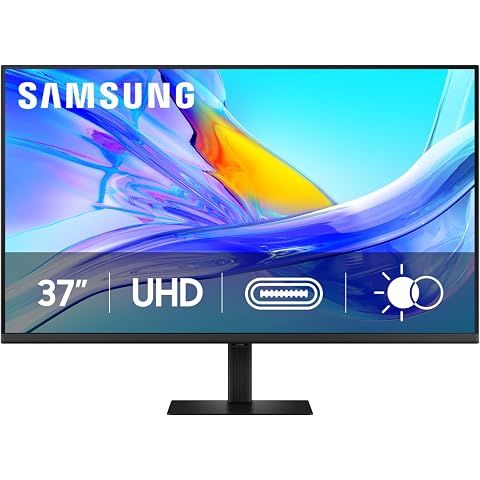
TLDR Review: Samsung ViewFinity S8 37-inch Monitor
Verdict
The SAMSUNG 37-inch ViewFinity S8 is a powerhouse for professionals needing a large, sharp 4K monitor with ergonomic flexibility and advanced features like a built-in KVM switch and Eye Care tech. However, if your work demands razor-sharp text clarity or seamless Apple docking compatibility, this might not be the perfect fit. The awkward rear OSD controls could be a minor frustration, but overall, it's a solid choice for coding, design, and multitasking in mixed-device setups. For those prioritizing flawless text and Apple docking ease, you might want to explore alternative monitors that specialize in ultra-crisp text rendering and broader dock compatibility.
- Top pro:
- Extremely sharp 4K UHD picture quality delivers excellent crispness and fine resolution, perfect for users who need high-detail visuals like developers and designers.
- Top con:
- Text clarity at 37” size can be lacking, making it less suitable for users who require razor-sharp text for intensive office or productivity work.
Pros
- •Extremely sharp 4K UHD picture quality delivers excellent crispness and fine resolution, perfect for users who need high-detail visuals like developers and designers.
- •Large 37-inch screen size offers ample workspace, ideal for multitasking with multiple applications and side-by-side comparisons.
- •90W USB-C power delivery simplifies device charging while connected, great for powering laptops or peripherals.
- •Stable and height-adjustable ergonomic stand enhances comfort and prevents wobbling during use.
- •Built-in KVM switch allows seamless control of multiple computers through one setup, boosting productivity.
- •Advanced Eye Care technology helps reduce eye strain during extended work sessions.
- •Compatible with both Mac Mini and Windows Surface Pro 8, making it versatile for different work environments.
- •Power consumption is efficient, around 25 watts in Eco mode, keeping energy use in check.
- •Flexible orientation with the ability to use the monitor vertically or horizontally.
- •Works well with HP docking stations and has straightforward USB-C setup.
Cons
- •Text clarity at 37” size can be lacking, making it less suitable for users who require razor-sharp text for intensive office or productivity work.
- •On-Screen Display (OSD) controls and manual buttons are inconveniently located on the back bottom center, causing awkward access and possibly disrupting cables during adjustments.
- •OSD briefly appears on startup, temporarily blocking access to the taskbar or dock, which some may find annoying.
- •Uneven brightness around screen edges affects overall uniformity, detracting slightly from the viewing experience.
- •Limited compatibility with Apple docking stations compared to its smooth operation with HP docking stations.
- •Best positioned slightly further away from the eyes to avoid strain, which might require desk rearrangement.
We may earn a commission when you buy through these links, at no extra cost to you. How ShopSavvy makes money
How we researched this
About this review: it summarizes the professional reviews and customer ratings ShopSavvy collected for this product, alongside prices from ShopSavvy's price data.
 Download ShopSavvy App
Compare prices across tens of thousands of stores, set price alerts, watch for deals by keyword, and much more.
 Install ShopSavvy Browser Extension
Compare and track prices automatically while you shop online at thousands of websites.




