Verdict
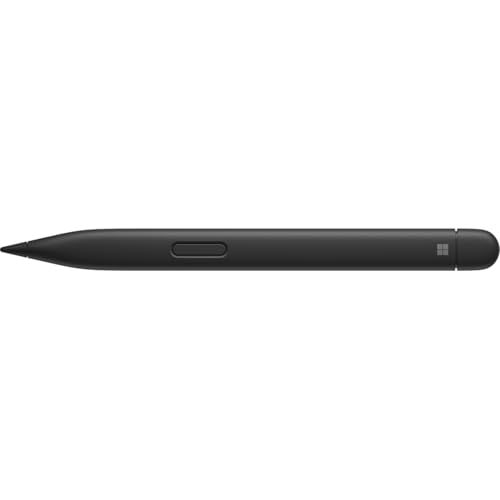
The Microsoft Surface Slim Pen 2 is an excellent choice for those seeking a sleek, modern stylus that offers seamless integration with compatible Surface devices. With its exceptional accuracy, pressure sensitivity, and user-friendly design, it enhances creativity and transforms the user experience. However, users should consider that its added cost, requirement for a separate charger, and design quirks might not offer the best value for everyone. For those who prefer a more traditional design and assured compatibility, the classic Surface Pen might be a worthy alternative.
- Top pro:
- Sleek and comfortable design that enhances the drawing experience, akin to using a needle point pen.
- Top con:
- Notable cursor accuracy issues with a 1 to 2 cm offset from the tip, leading to drawing mistakes.
Pros
- •Sleek and comfortable design that enhances the drawing experience, akin to using a needle point pen.
- •Exceptional accuracy and pressure sensitivity, ideal for drawing diagrams and sketches.
- •Effective handwriting recognition with text conversion capabilities.
- •Quick setup and seamless device detection for an easy start-up.
- •Comfortable grip enhances the realistic feel of digital inking, akin to writing on paper.
- •Compatible and easily charges with the Surface Laptop Studio and Surface Pro 8.
- •Offers superior performance and precision writing, comparable to Apple pens.
- •Includes convenient features like wireless charging and useful features such as screen clipping and eraser.
- •Highly recommended for educational use, offering enhanced functionality in subjects like Chemistry and Physics.
- •Provides a smooth, responsive, and realistic writing experience, transforming the overall user interaction with Surface devices.
Cons
- •Notable cursor accuracy issues with a 1 to 2 cm offset from the tip, leading to drawing mistakes.
- •Side button placement is awkward and difficult to access.
- •Weaker magnet strength than the standard pen, impacting stability when attached to devices.
- •Lightweight design raises concerns about durability, feeling cheap and potentially breakable.
- •Requires a separate charger, detracting from its overall value compared to the standard pen.
- •High cost and lack of magnetic attachment make it less ideal for travel, particularly with older Surface Pro models.
- •Built on concepts that might hinder innovation, with durability and overall value ratings are low.
- •Primitive functionality may require adjustment time for artists and may not maximize potential for untrained users.
We may earn a commission when you buy through these links, at no extra cost to you. How ShopSavvy makes money
How we researched this
About this review: it summarizes the professional reviews and customer ratings ShopSavvy collected for this product, alongside prices from 8 retailers in ShopSavvy's price data, most recently seen Sep 10, 2025.
Where to Buy
| Retailer | Price | Last seen | Buy |
|---|---|---|---|
| $109.99 | Sep 10, 2025 may have changed | ||
| $109.99 | Sep 10, 2025 may have changed | ||
| $129.99 | Sep 10, 2025 may have changed | ||
| $129.99 | Sep 10, 2025 may have changed | ||
| $129.99 | Sep 10, 2025 may have changed |


 Download ShopSavvy App
Compare prices across tens of thousands of stores, set price alerts, watch for deals by keyword, and much more.
 Install ShopSavvy Browser Extension
Compare and track prices automatically while you shop online at thousands of websites.




