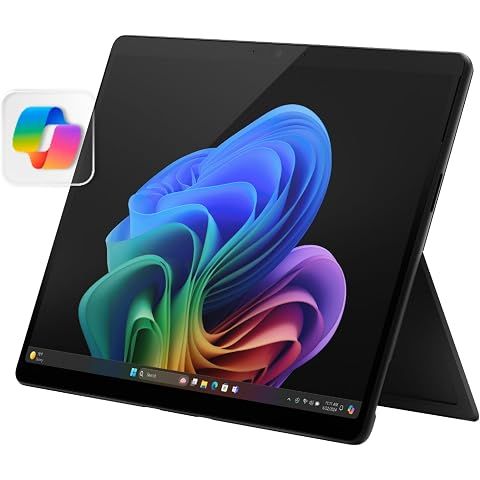
TLDR Review: Microsoft Surface Pro (2024)
Pros
- •The 13" PixelSense Flow OLED display is stunning, vibrant, and bright, providing an immersive visual experience
- •Lightweight, sleek, and portable design makes it perfect for alay use and on-the-go productivity
- •Fast setup process with quick updates; the device boots up quickly and signs in instantly with Windows Hello face recognition
- •Plenty of performance with 16GB RAM and 512GB SSD, capable of multitasking, light gaming, and content creation
- •The Snapdragon X Plus processor and integrated Adreno GPU deliver smooth daily performance, comparable to x86 devices in many tasks
- •Supports up to three 4K monitors and includes WiFi 7 and Bluetooth 5.4 for enhanced connectivity options
- •Offers impressive AI features via CoPilot+ with reaime translation, AI-assisted drawing, and image content creation
- •Excellent camera quality with front and rear cameras that feature Windows Hello and AI enhancements
- •Dual US 4 ports support charging, external displays, and fast data transfer, with a proprietary 65W fast-charging port
- •120Hz refresh rate and HDR support make the screen responsive and visually appealing for media and creative work
- •The builn kickstand with almost 180° tilt and magnetic keyboard adds flexibility in use modes
- •Dolby Atmos speakers deliver loud, clear, and immersive audio, suitable for media and meetings
- •Expandable SSD via magnetic back door for easy upgrades and maintenance
- •The device’s build quality is solid with a nice Dune color finish, blending style with efficiency
- •AI features like live captioning and image generation work well and show future potential
Cons
- •AI capabilities are somewhat limited and may come off as gimmicky for more demanding users
- •Some x86 programs do not run well or at all via emulation, which could be frustrating for traditional Windows software
- •Compatibility with peripheral devices (printers, audio interfaces) may require additional fiddling or specialized drivers
- •The device's form factor, while portable, can be uncomfortable for extended typing or device use outside a desk setup
- •AI features require a consistent internet connection to function optimally, which could be a drawback in some scenarios
- •Not all AI tools, like CoCreator+, are fully mature yet, and user experience can vary
- •The performance on some niche or legacy software may lag compared to a traditional Intel/AMD system
- •No Linux support at this moment, limiting opeource or specialized workflows
- •The high refresh rate and OLED screen can lead to quicker battery drain if used heavily for media
- •The premium price tag might be ofutting for budget-conscious buyers seeking similar specs
Bottom Line
This device is a powerful, stylish, and innovative 2-in-1 that combines a gorgeous OLED display, impressive performance, and cutting-edge AI features. It’s ideal for daily productivity, creative tasks, and portability, but users expecting full x86 software compatibility or highly advanced AI may find the limitations frustrating. If you prioritize a seamless Windows experience with more mature compatibility and a lower price, other Surface models or even traditional laptops might be worth considering. But if premium display quality and future AI capabilities excite you, this Surface Pro is worth the investment.
How we researched this
About this review: We pulled together findings from professional reviews and hundreds of user reviews, and cross-referenced them with ShopSavvy's pricing data from 1 retailers to give you the short version.
 Download ShopSavvy App
Compare prices across thousands of stores in real-time, set price alerts, watch for deals by keyword, and much more.
 Install ShopSavvy Browser Extension
Compare and track prices automatically while you shop online at thousands of websites.





Footer 1
Get ShopSavvy
ShopSavvy
- Price Comparison
- Compare Prices
- App
- Browser Extension
- Desktop App
- Browser
- QR Code Reader
- ShopSavvy for Business
- AI Agents
- Data API
- Integrations
- Data API Dashboard
- Universal Product Search API
- Bulk Data Licensing
- For Retailers
- Share Your Product Feed
- Data Partners
- Help
- Advertise with Us
- About
- Compare
- Blog
- Press Kit
- Press Inquiries
- Business Inquiries
Subscribe for Updates
Get the latest news, and updates on ShopSavvy. You'll be glad you did!