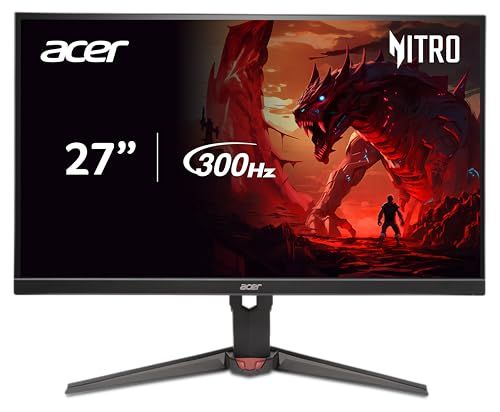
TLDR Review: Acer Nitro XV272U Monitor
Verdict
The Acer Nitro XV272U F3bmiiprx is a powerhouse for gamers craving buttery-smooth 300Hz performance with rich color accuracy and HDR support at a very reasonable price point. However, it comes with some trade-offs in viewing angles and minor quality control hiccups like pixels and backlight uniformity. If you want razor-sharp motion clarity and extensive customization without breaking the bank—and you game mostly head-on—this monitor is a smart pick. For those prioritizing perfect viewing angles or flawless panels, considering a premium IPS alternative might be wise.
- Top pro:
- Supports sharp 2560x1440 resolution with an ultra-fast 300Hz refresh rate and up to 0.5ms response time, ideal for competitive high-frame-rate gaming.
- Top con:
- Quality control issues reported, including dead pixels appearing within a couple of weeks of use.
Pros
- •Supports sharp 2560x1440 resolution with an ultra-fast 300Hz refresh rate and up to 0.5ms response time, ideal for competitive high-frame-rate gaming.
- •Excellent color vibrancy with 99% sRGB coverage and DisplayHDR 400, delivering bright and appealing visuals.
- •Advanced visual adjustments like high brightness controls, black level tweaking, and sharpening significantly enhance clarity in fast-paced games.
- •Effective blacklight strobing with a “Normal” mode that balances motion clarity without dimming the screen excessively.
- •Versatile ErgoStand offers good ergonomics with stable, adjustable positioning and minimal wobble.
- •Quick and easy creation and swapping of user profiles for personalized gaming or work setups.
- •Matte panel reduces glare compared to glossy alternatives.
- •Comes with two HDMI 2.1 ports and 1 DisplayPort 1.4 input, accommodating modern GPUs and consoles well.
- •Backlight strobing and response time settings (up to Extreme) manage motion blur effectively for a crisp gaming experience.
Cons
- •Quality control issues reported, including dead pixels appearing within a couple of weeks of use.
- •Viewing angles are underwhelming for an IPS panel, showing color distortion and noticeable backlight bleed from top or side viewing angles.
- •Screen tilt is necessary to avoid color shifting near the bottom, behavior more typical of TN panels despite the IPS claim.
- •Backlight brightness doesn’t dim low enough without reducing contrast to zero, which may hinder comfortable late-night gaming.
- •DisplayPort cable is not included despite some descriptions suggesting otherwise—a minor inconvenience.
- •Build materials feel average rather than premium, though overall construction is solid.
- •DSC (Display Stream Compression) must sometimes be disabled to avoid color format compromises at max refresh rates, potentially affecting color accuracy.
- •Bezel is thin but not the slimmest, so not the sleekest edge-to-edge display on the market.
We may earn a commission when you buy through these links, at no extra cost to you. How ShopSavvy makes money
How we researched this
About this review: it summarizes the professional reviews and customer ratings ShopSavvy collected for this product, alongside prices from ShopSavvy's price data.
 Download ShopSavvy App
Compare prices across tens of thousands of stores, set price alerts, watch for deals by keyword, and much more.
 Install ShopSavvy Browser Extension
Compare and track prices automatically while you shop online at thousands of websites.




