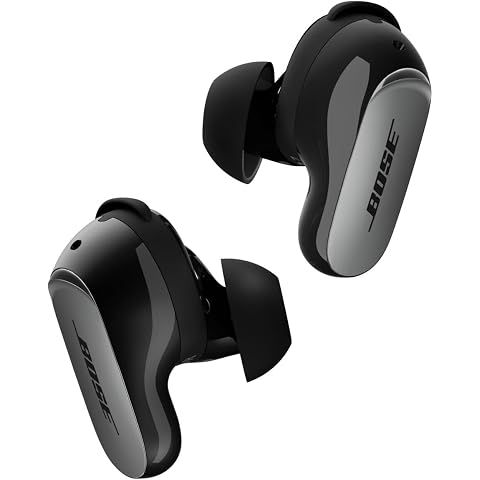
Connecting your Bose QuietComfort Ultra Earbuds 2nd Gen takes about a minute.
Enter Pairing Mode
- Place earbuds in charging case
- Hold back button for 3 seconds
- Light pulses when ready
iPhone Connection Settings → Bluetooth → Select "QuietComfort Ultra Earbuds"
Android Connection (Recommended)
- Download Bose app from Play Store
- Open app and follow prompts
- App detects earbuds automatically
Android Without App Settings → Connected Devices → Bluetooth → Pair new device
Fast Pair (Android) Many Android devices show automatic pairing notification. Just tap to connect.
Multipoint Connectivity Connect to two devices simultaneously. Pair your phone first, then repeat with a second device.
Troubleshooting
- Ensure case is charged
- Keep case open during pairing
- Stay within 3 feet of phone
We may earn a commission when you buy through these links, at no extra cost to you. How ShopSavvy makes money
How we researched this
Where this comes from: this answer draws on the product's published specifications and the reviews ShopSavvy collected for it, alongside prices from 1 retailer in ShopSavvy's price data, most recently seen Mar 23, 2026.
Considering the Bose QuietComfort Ultra Earbuds (2nd Gen)?
Here's our "TLDR" Review
 Download ShopSavvy App
Compare prices across tens of thousands of stores, set price alerts, watch for deals by keyword, and much more.
 Install ShopSavvy Browser Extension
Compare and track prices automatically while you shop online at thousands of websites.
More Answers
If you're still curious about the Bose QuietComfort Ultra Earbuds (2nd Gen), here are some other answers you might find interesting:
- ⚔️ How do the Bose QuietComfort Ultra Earbuds 2nd Gen compare to the Sony WF-1000XM5?
Here's how the Bose QuietComfort Ultra Earbuds 2nd Gen compare to Sony WF-1000XM5: Noise Cancellation Bose: Best-in-class Sony: Excellent Winner: Bose (slight...
- 💰 Are the Bose QuietComfort Ultra Earbuds 2nd Gen worth the $299 price?
Are the Bose QuietComfort Ultra Earbuds 2nd Gen worth $299? It depends on your priorities. Worth the Premium Best-in-class noise cancellation Exceptional...
- 🛡️ What warranty comes with the Bose QuietComfort Ultra Earbuds 2nd Gen?
The Bose QuietComfort Ultra Earbuds 2nd Gen include a 1-year limited warranty when purchased from authorized dealers. Covered Manufacturing defects Hardware...
- 🎨 What colors are the Bose QuietComfort Ultra Earbuds 2nd Gen available in?
The Bose QuietComfort Ultra Earbuds 2nd Gen come in five colors: Standard Colors Black: Matte, classic, understated White Smoke: Off-white/cream, modern...
- ☝️ Can I use just one earbud at a time with the Bose QuietComfort Ultra Earbuds 2nd Gen?
Yes, the Bose QuietComfort Ultra Earbuds 2nd Gen support single-earbud (mono) use. How to Use Leave one earbud in the case Remove and wear just one Connects...
- 📞 Are the Bose QuietComfort Ultra Earbuds 2nd Gen good for phone calls?
The Bose QuietComfort Ultra Earbuds 2nd Gen significantly improve call quality over the first generation with new AI SpeechClarity technology. AI SpeechClarity...
- 👂 Do the Bose QuietComfort Ultra Earbuds 2nd Gen fit small ears?
The Bose QuietComfort Ultra Earbuds 2nd Gen may be challenging for smaller ears. The earbuds are bulky, and reviewers recommend those with small ears consider...
- 🎵 What is Bose Immersive Audio and is it worth using?
Bose Immersive Audio creates a speaker-like listening experience through earbuds, making sound feel like it's coming from in front of you rather than inside...
- 🎛️ Can I customize the EQ and sound settings on the Bose QuietComfort Ultra Earbuds 2nd Gen?
The Bose QuietComfort Ultra Earbuds 2nd Gen offer sound customization through the Bose app, though options are more limited than some competitors. EQ Features...
- 🔇 How good is the noise cancellation on the Bose QuietComfort Ultra Earbuds 2nd Gen?
The Bose QuietComfort Ultra Earbuds 2nd Gen deliver industry-leading noise cancellation, with professional testing showing approximately 85% noise reduction....




