


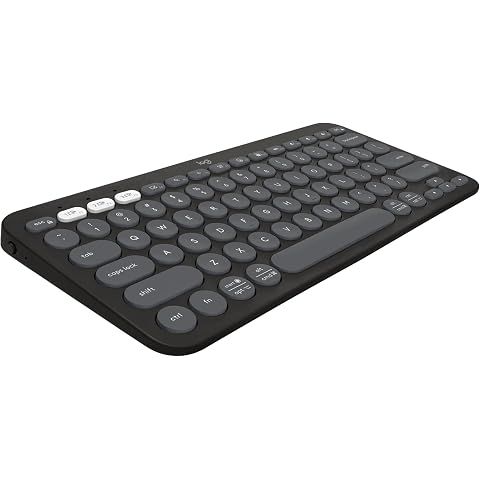
Yep, the Logitech Pebble Keys 2 K380s works with both Mac and Windows. The manufacturer describes it as being designed to smoothly integrate with these systems, and from what we've gathered, it links up with them quite easily.
Folks generally have a straightforward time getting it connected, which is nice if you're switching between the two often. Our research shows that people usually have a good, hassle-free experience using the K380s on Mac and Windows. This kind of cross-platform flexibility is super helpful if you're jumping back and forth between operating systems.
If you're thinking about using this keyboard with Linux, though, you might run into some roadblocks. While it's got broad compatibility, Linux users have mentioned issues like connectivity problems with certain distributions, like Linux Mint.
It's not really built with Linux in mind, but some users have had some luck using tips from online posts, like tweaking Bluetooth settings or trying certain firmware updates.
So, if you're on Windows or a Mac, this keyboard seems like a great choice—it's stylish, versatile, and dependable. But if Linux is in the mix, you might want to dig a bit deeper to see if any workarounds will do the trick for you.
How we researched this
Where this comes from: This answer is based on ShopSavvy's product database, real-time pricing from 10 retailers, and a look at hundreds of user reviews to give you a well-rounded picture.
📚More About Logitech Pebble Keys 2 K380s Keyboard
Where to Buy


Considering the Logitech Pebble Keys 2 K380s Keyboard?
Here's our "TLDR" Review
 Download ShopSavvy App
Compare prices across thousands of stores in real-time, set price alerts, watch for deals by keyword, and much more.
 Install ShopSavvy Browser Extension
Compare and track prices automatically while you shop online at thousands of websites.
More Answers
If you're still curious about the Logitech Pebble Keys 2 K380s Keyboard, here are some other answers you might find interesting:
Yeah, the Logitech Pebble Keys 2 K380s can definitely connect to multiple devices. According to the manufacturer's description, it uses Bluetooth Low Energy Technology, so you can hook it up to all sorts of systems like Windows 10 and 11, macOS, and Android.
One cool feature is the Easy-Switch buttons. These let you flip between three devices with just one click—pretty handy, right? So whether you’re switching between a Windows laptop, an Android tablet, or a MacBook, it’s all pretty seamle
How long does the battery last on the Logitech Pebble Keys 2 K380s keyboard?
Hey! So about the Logitech Pebble Keys 2 K380s keyboard—it's actually pretty solid when it comes to battery life. Based on the manufacturer's description, it can go for about 2 years on just one set of AAA batteries, which is pretty convenient.
Our research shows that a lot of folks find this long-lasting feature super handy, especially if they use the keyboard for regular tasks like typing up emails or browsing online. You probably won't have to swap out batteries very often, which is a nice perk.
Of course, how long the battery lasts can depend on how you use the keyboard. If you're typing a lot every day, you might need to replace batteries a bit sooner. But for most people, especially those just doing usual stuff like creating documents or surfing the web, the keyboard holds up to the two-year mark pretty well.
It's probably a smart move to keep an extra set of AAA batteries around just in case, especially if the keyboard is crucial for your work or school stuff. Plus, the keyboard has some neat battery-saving tricks, like automatically going to sleep when you're not using it, which helps stretch the battery life.
Overall, if you want something compact and stylish with a b
🔥 Trending Deals




Footer 1
Get ShopSavvy
ShopSavvy
- Price Comparison
- Compare Prices
- App
- Browser Extension
- Desktop App
- Browser
- QR Code Reader
- ShopSavvy for Business
- AI Agents
- Data API
- Integrations
- Data API Dashboard
- Universal Product Search API
- Bulk Data Licensing
- For Retailers
- Share Your Product Feed
- Data Partners
- Help
- Advertise with Us
- About
- Compare
- Blog
- Press Kit
- Press Inquiries
- Business Inquiries
Subscribe for Updates
Get the latest news, and updates on ShopSavvy. You'll be glad you did!