

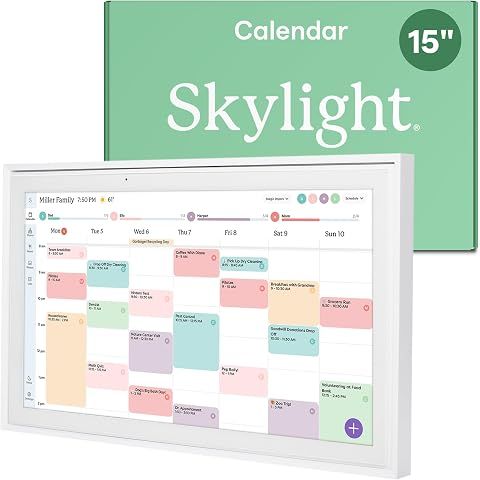
The Skylight Calendar can sync with a bunch of popular calendar apps without any hassle.
It's set up to connect seamlessly with things like Google Calendar, Outlook, Apple Calendar, Cozi, and Yahoo Calendar.
You won't need a premium subscription for this, as syncing is part of the basic package.
If you're curious about the Premium features, Skylight has something called the 'Plus Plan' for $39 a year. It offers some extra stuff like advanced meal planning and turning your calendar into a digital photo frame.
Our research shows that some folks really dig these extras, while others think they shouldn't be behind a paywall, given the calendar's primary function.
So, if you're just after a tool to keep your schedule tidy and in sync across different apps, the basic Skylight Calendar should do just fine.
But if you fancy additional perks like displaying photos or advanced planning features, the Plus Plan might be worth checking out.
It just boils down to what you personally want from your calendar.
We may earn a commission when you buy through these links, at no extra cost to you. How ShopSavvy makes money
How we researched this
Where this comes from: this answer draws on the product's published specifications and the reviews ShopSavvy collected for it, alongside prices from 1 retailer in ShopSavvy's price data, most recently seen Apr 11, 2025.
Considering the Skylight Calendar 15" Digital Display?
Here's our "TLDR" Review
 Download ShopSavvy App
Compare prices across tens of thousands of stores, set price alerts, watch for deals by keyword, and much more.
 Install ShopSavvy Browser Extension
Compare and track prices automatically while you shop online at thousands of websites.
More Answers
If you're still curious about the Skylight Calendar 15" Digital Display, here are some other answers you might find interesting:
- 📅 What are the pros and cons of the Skylight Calendar?
Thinking about the Skylight Calendar? Well, here's a quick look at the pros and cons—it might help you decide if it's the right fit for you. Seamless...
- 📅 How easy is it to set up and use the Skylight Calendar?
Getting the Skylight Calendar up and running is pretty straightforward. When you take it out of the box, you just hook it up to your Wi-Fi and it syncs with...
- 📅 Is a subscription required to use all features of the Skylight Calendar?
Hey! So if you're eyeing the Skylight Calendar, here's the deal: you can use the basic calendar features for free, but if you want all the bells and whistles,...
- 📅 What are the main features of the Skylight Calendar?
The Skylight Calendar is a solid choice for families looking to keep things organized. It's a 15-inch HD touchscreen that serves as a digital calendar and...




