Trending Articles

Is the Samsung Galaxy Watch Ultra worth the price compared to other models?

Best Electronics Kits for Kids & Beginners in 2025

TLDR Review: DJI Mic Mini

How accurate is the Samsung Galaxy Watch Ultra for fitness tracking?


Find exactly what you're looking for with our specialized content categories
Well-researched expert reviews with straightforward pros, cons, and a bottom line
Curated recommendations in popular categories, expertly researched and selected
Expertly researched answers to specific questions about products and features
Data-driven seasonal shopping guides based on actual price and deal history
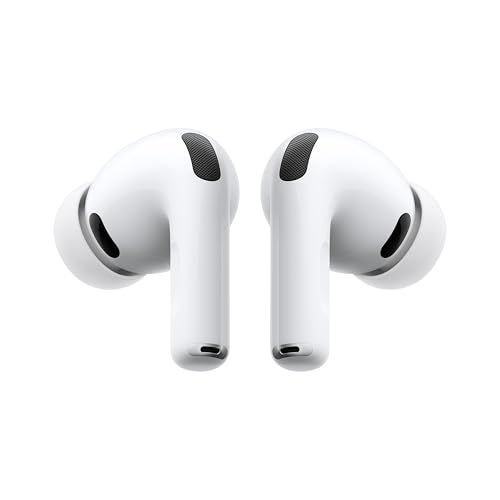
Lost your AirPods again? The AirPods Pro 3 have seriously upgraded Find My features that make tracking them down way easier than before.
Apple put their newer U2 Ultra Wideband chip in the charging case. What does that mean for you? About 3x the tracking range of the AirPods Pro 2. We're talking up to 200 feet of Precision Finding, where your iPhone shows you exactly which direction to walk and how far away they are.
When you're getting close, your phone gives you visual arrows, distance numbers, and even vibrations. It's like a hot-cold game, but way more accurate.
This is actually a really nice addition. The charging case can play sounds on its own - you don't need the earbuds inside. So if you lose the case but have the earbuds in your ears, just tell it to chirp and you'll find it. Works even when the case is closed.
When your AirPods are truly lost (not just under the couch), Apple's Find My network kicks in. Any nearby Apple device can anonymously detect your AirPods and report their location to your account. You don't have to do anything - it just works.
This is super helpful if you left them at a coffee shop or on the train. As long as someone with an iPhone walks past them, you'll get a location update.
My favorite feature: your iPhone can warn you before you even lose them. Enable "Notify When Left Behind" and you'll get an alert when you walk away without your AirPods. You can set exceptions for home and work so you're not constantly being reminded.
The full Precision Finding experience needs an iPhone 15 or newer. Older phones still work, just without the fancy directional arrows.
The AirPods Pro 3 come with a really intuitive touch control system built right into the stems. Once you get the hang of it, you'll rarely need to pull out your phone to control your music or calls.
The stem on each earbud has what Apple calls a "force sensor" that responds to different press patterns:
Here's where it gets clever. The stem has a touch-sensitive strip, and you can swipe your finger up or down to adjust volume. The trick is to place your thumb on the back of the stem for stability, then use your index finger to swipe along the front. Swipe up for louder, down for quieter. Works on either earbud.
Some people find this a bit fiddly at first, but it becomes second nature pretty quickly. If you really don't like it, you can turn it off in settings and just use your phone or watch for volume.
This sounds gimmicky, but it's actually useful. When you get a call or Siri asks you something, you can:
It feels weird the first few times, but it's genuinely handy when your hands are full.
Press and hold BOTH stems at the same time to activate Live Translation. This lets you have conversations in different languages with real-time translation.
Head to Settings > Bluetooth, tap the "i" next to your AirPods, and you can customize a bunch of stuff. You can change what the press-and-hold does, adjust how sensitive the volume swipe is, or turn features off entirely if they bug you.

The Acer Nitro XV271U M3bmiiprx is a solid contender for gamers seeking a sharp, vibrant 27" 1440p IPS monitor with a high 180Hz refresh rate and excellent color accuracy at a reasonable price. However, if youβre serious about HDR or require brighter screens for sunny rooms, this model falls short. Plus, the less-than-robust stand and weak built-in speakers might leave you wanting. If those cons matter to you, consider the Acer Nitro XV272U F3bmiiprx, which offers a brighter display, a sturdier stand, and even higher refresh rates that better suit competitive gamers.
DSEE Extreme is one of those features that sounds like marketing fluff but actually works. It's Sony's audio upscaling tech that makes compressed music (like Spotify streams) sound closer to high-resolution quality.
When you compress music into MP3 or stream it, you lose information. The algorithm tosses out frequencies and details to shrink the file size. You can't hear what's not there.
DSEE Extreme tries to put it back. It uses AI trained on tons of music to predict what the original uncompressed audio probably sounded like. Then it adds those missing pieces back in real-time while you listen.
It's not magic. It can't perfectly recreate what was lost. But it can get surprisingly close, and the difference is audible.
Use DSEE Extreme for:
Basically, if your audio source compresses the music, DSEE Extreme can help.
Turn it off for:
If you're already listening to high-quality sources, DSEE Extreme has nothing to restore. It might actually introduce subtle processing artifacts you don't want.
Yes. When A/B testing with Spotify tracks, the difference is noticeable. Listen to a familiar song, toggle DSEE Extreme on, and you'll hear it.
The improvements are subtle but real:
It won't turn a 128kbps MP3 into a vinyl recording. But it noticeably improves streaming audio. The difference is most obvious on well-recorded acoustic music and vocals.
Open the Sony app, go to Sound, find DSEE Extreme, toggle it on. That's it.
DSEE Extreme does use some battery because it's constantly processing audio. It's not dramatic. Maybe you lose 15-30 minutes over a full charge. For most people, the audio improvement is worth it.
If you're a Spotify listener (which is most people), leave DSEE Extreme on. It genuinely improves the listening experience with no real downside for compressed audio.
If you pay for Tidal HiFi or Apple Music Lossless specifically for high-quality audio, turn it off. You're already getting the good stuff. You don't need AI guessing what it should sound like.
The WF-1000XM5 supports multiple Bluetooth audio codecs, and which one you're using makes a real difference in sound quality. Here's the breakdown.
Every Bluetooth device supports SBC. It's the universal fallback. Quality is fine but nothing special. The WF-1000XM5 only uses this if nothing better is available.
This is what iPhones use. It's good quality and efficient. If you're on iOS, this is what you're getting, and honestly, it sounds quite good for most music.
LDAC is Sony's own codec, and it's the whole reason audiophiles love these earbuds. It can push up to 990 kbps of data. That's nearly three times what SBC can do. The result? Noticeably better audio quality, especially with hi-res music files.
The catch: it only works on Android, and you have to enable it manually.
This is part of the new Bluetooth LE Audio standard. It's more efficient than older codecs and enables features like audio sharing. Support is still rolling out, so you probably won't use this much yet.
Check the Sony app. Under Sound settings, it shows you the active codec. Most Android users default to AAC or SBC until they enable LDAC manually.
This is a two-step process that trips people up:
Step 1: Sony App Open the Headphones Connect app, go to Sound, and select "Prioritize Sound Quality" instead of "Prioritize Stable Connection."
Step 2: Android Settings Go to Developer Options (tap Build Number 7 times in About Phone to unlock this), find Bluetooth Audio Codec, and select LDAC.
Both steps are required. Skip either one and you won't get LDAC.
Bad news for iPhone users: iOS doesn't support LDAC. Apple controls Bluetooth codecs tightly, and they only allow AAC.
Is AAC bad? No, it's actually quite good. You're not getting the absolute best the WF-1000XM5 can deliver, but you're still getting very good audio quality. Most people can't tell the difference in everyday listening.
LDAC pushes a lot of data over Bluetooth. In environments with a lot of wireless interference (crowded offices, busy streets, airports), you might experience:
If this happens, switch to "Prioritize Stable Connection" in the Sony app. You'll trade some audio quality for reliability. For most situations outside a quiet room, stable connection might actually be the smarter choice.
The WF-1000XM5 has touch controls on both earbuds, and you can customize exactly what each tap, double-tap, triple-tap, and hold does. The defaults are fine for most people, but tweaking them to match how YOU use the earbuds makes a big difference.
Open the Sony Headphones Connect app, go to System, and look for "Change the touch sensor function." From there you can configure the left and right earbuds separately.
You've got four gestures per earbud:
Each one can be assigned to something different.
Playback stuff: Play/pause, next track, previous track. The basics.
Volume: This one uses touch and hold. Keep your finger on the earbud and volume gradually goes up or down. You'll need to assign volume up to one earbud and volume down to the other if you want both.
Noise control: You can cycle through Noise Canceling, Ambient Sound, and Off. Super useful if you need to quickly let sound in.
Voice assistant: Works with Google Assistant, Alexa, or Siri depending on your phone and preferences.
Speak-to-Chat: Instantly pauses music and turns on ambient sound for a quick conversation.
Out of the box, Sony configures them like this:
Left earbud: Tap toggles noise control modes. Hold triggers Speak-to-Chat.
Right earbud: Tap plays/pauses. Double tap skips forward. Triple tap goes back. Hold activates your voice assistant.
This is actually a pretty solid setup for most people.
I like putting volume control on the hold gestures:
That frees up the taps for playback and noise control. Being able to adjust volume without pulling out my phone is really convenient.
Dominant hand gets the important stuff. If you're right-handed, put your most-used controls on the right. You'll naturally reach for that side.
Keep quick access to ANC/Ambient. The ability to instantly switch noise modes is one of the best features. Don't bury it under triple-taps.
You can disable touch completely. In the app, there's an option to turn off touch controls. Handy when you're cleaning the earbuds or if you keep accidentally triggering gestures.
Touch controls on earbuds are not perfect. Sometimes you'll accidentally tap when adjusting fit. Sometimes a double tap registers as two single taps. It's just the nature of touch-sensitive surfaces in your ears. You get used to it.
Short answer: water-resistant, not waterproof. The WF-1000XM5 has an IPX4 rating, which means they can handle sweat and splashes, but don't go swimming with them.
IPX4 is splash protection. Think: sweat, light rain, water splashing from a sink. The earbuds are tested to withstand water spraying from all directions, but not submersion or heavy water flow.
Gym workouts? Totally fine. Sweat won't hurt them, even during intense sessions. Just wipe them down afterward.
Running in rain? Light rain or a quick drizzle is okay. I wouldn't run a marathon in a thunderstorm with them, but getting caught in rain for a few minutes won't be a problem.
Accidentally drop them in water? Pull them out immediately. They're not meant for dunking, but brief exposure shouldn't kill them if you dry them properly.
Swimming. Not even close. No pool, no ocean, no lake. IPX4 is not for submersion.
Showering. That's a direct water stream, which exceeds what IPX4 is designed for.
Heavy rain for extended periods. The earbuds can handle some rain, but prolonged exposure to heavy rain is pushing it.
This catches some people off guard. The earbuds have IPX4, but the charging case has zero water resistance. Keep that thing dry. Don't leave it in your gym bag pocket with a sweaty towel, don't set it on a wet counter, and definitely don't bring it near the pool.
Accidents happen. Here's what to do:
Give them several hours or overnight to dry before using them again.
For most people, yes. The WF-1000XM5 isn't marketed as a sports earbud, but IPX4 covers normal use cases: gym, running, daily life where things might splash.
If you need earbuds specifically for swimming or water sports, you'll want something rated IPX7 or higher. Those are designed for actual submersion. The WF-1000XM5 is designed for world-class audio and noise cancellation. Water protection is just enough to handle everyday situations.
Earbuds that won't connect are annoying. Let's fix it. Most WF-1000XM5 connection issues are simple to resolve once you know what to try.
Before you start troubleshooting in earnest, try the obvious stuff:
Turn Bluetooth off and on. On your phone, flip Bluetooth off, wait 10 seconds, flip it back on. This fixes more connection issues than you'd expect.
Restart the earbuds. Put them in the case, close the lid, wait 30 seconds, open the lid. It's the earbud equivalent of rebooting your computer.
Check if they're connected to something else. If you have multipoint enabled, your earbuds might have auto-connected to your laptop or tablet instead of your phone. Check the Sony app to see what they're paired to.
Make sure they're charged. Low battery can cause weird connection behavior. If either earbud is below 10%, charge them first.
Here's what usually happens: your phone and earbuds have mismatched pairing data. Your phone thinks it knows the earbuds, the earbuds think they know your phone, but something got corrupted along the way.
The fix is to delete the pairing and start fresh.
iPhone: Settings > Bluetooth > tap the (i) next to WF-1000XM5 > Forget This Device
Android: Settings > Connected devices > tap the gear next to WF-1000XM5 > Unpair
Go back to Bluetooth settings on your phone. WF-1000XM5 should appear in available devices. Tap it. If it asks for a code, enter 0000.
Done. This fixes probably 90% of connection issues.
If re-pairing doesn't work, try a full factory reset. This erases everything and returns the earbuds to their out-of-box state.
Now the earbuds have forgotten everything. They'll enter pairing mode automatically when you take them out of the case.
iPhone users: After pairing, make sure you've also opened the Sony Headphones Connect app. Some features won't work until the app has connected at least once.
Android users: If you're using LDAC and having connection drops, try switching to "Prioritize Stable Connection" in the Sony app. LDAC pushes more data over Bluetooth, which can cause instability in some environments.
Samsung owners: Samsung's aggressive battery optimization can kill Bluetooth connections. If you're having issues, try disabling battery optimization for the Sony app.
If you've tried everything and it still won't connect:
Ear tip size seems like a small thing, but it makes a huge difference with the WF-1000XM5. Wrong size = weak bass, poor ANC, and earbuds that won't stay put. Right size = everything works as advertised.
Sony includes four sizes:
Most people land somewhere between Small and Large. The pre-installed Medium works for many, but don't assume it's right for you.
I know, running a "fit test" sounds like overkill. But this one is worth doing. It takes 10 seconds and can dramatically improve your experience.
Open the Sony app, go to System, find "Optimal ear tip," and run it. The app plays a sound and measures how well each earbud seals your ear. If it says you have a poor seal, trust it. Your ANC and bass are genuinely suffering.
The test checks each ear separately, which is helpful because (fun fact) your ears are probably slightly different sizes.
Too small (most common issue):
Too big:
Start with the Medium tips that come installed. If the fit test says your seal is poor, go up to Large. If Medium feels too tight, try Small.
Here's something people don't realize: you might need different sizes for each ear. Using Large on one side and Medium on the other is totally normal. Use whatever combo works.
The stock Sony tips are fine, but some people get better results with aftermarket options:
Memory foam tips (Comply, etc.): These squish down when you insert them, then expand to fill your ear canal. Great seal, really comfortable, but they wear out faster.
Premium silicone (SpinFit, AZLA): Different shapes that might fit your ears better than Sony's design.
If the stock tips just aren't working for you no matter what size you try, a set of aftermarket tips can make a big difference.
Dirty ear tips can actually affect the fit test accuracy. Clean them occasionally (soap and water is fine), and make sure they're fully dry before putting them back on.
This is probably the most common question in the premium earbud world: Sony WF-1000XM5 or AirPods Pro 2? Both are fantastic. The "right" choice depends on what matters most to you.
Android user? Get the Sony. Deep in the Apple ecosystem? Get the AirPods Pro 2. Audiophile who doesn't care about ecosystems? Probably Sony. Want something that just works with minimal fuss? Probably AirPods.
But let's get into the details.
The Sony sounds fuller and richer out of the box. The bass hits deeper, the mids are warm, and there's a lot of detail in the highs. Plus, if you're on Android, you get LDAC support. That means hi-res audio at nearly three times the bitrate of standard Bluetooth.
AirPods Pro 2 sound clean and balanced. They're not as punchy as the Sonys, but they're definitely not bad. Apple's Spatial Audio with head tracking is impressive when it works.
If you care about sound customization, Sony wins easily. The app lets you tweak EQ, adjust bass, and even create a personalized sound profile based on your hearing. AirPods don't offer anywhere near that level of control.
Both are excellent. The Sony blocks a wider range of frequencies. It handles office chatter, traffic, air conditioners, and airplane noise all effectively.
AirPods Pro 2 have strong ANC too, but where they really shine is transparency mode. Apple's Adaptive Transparency is the best in the business. It lets in ambient sound naturally, and it instantly dampens sudden loud noises. Sony's ambient mode is good, but Apple's is better.
This is huge.
If you have an iPhone, iPad, MacBook, and Apple Watch, AirPods Pro 2 integrate beautifully. They switch automatically between devices, work with Find My, and Siri is always a command away.
Sony earbuds work fine with iPhones, but you lose LDAC (iOS doesn't support it) and the experience isn't as seamless.
Flip side: if you're on Android, the Sony experience is fantastic. Full LDAC support, Google Assistant or Alexa integration, great app features. AirPods work on Android, but barely. No Spatial Audio, no automatic switching, no Find My.
Sony: 8 hours in the buds, 24 total with the case. AirPods: 6 hours in the buds, 30 total with the case.
Sony wins for individual listening sessions. AirPods have a better case battery but you'll need to charge the buds more often.
Sony runs about (sometimes higher due to tariffs). AirPods Pro 2 are MSRP and frequently drop to on sale.
Neither is the wrong choice. They're both premium earbuds that sound great and cancel noise well.
But the platform matters. If you're an Android user, the WF-1000XM5 is the obvious pick. If you're all-in on Apple, the AirPods Pro 2 integration is hard to beat.
If platform doesn't matter and you just want the best sound and ANC? Sony has the edge.
Download ShopSavvy AppCompare prices for anything in real-time, set price alerts, watch for deals by keyword, and much more
Install ShopSavvy Browser ExtensionCompare and track prices automatically while you shop online at thousands of websites.
Get the latest news, and updates on ShopSavvy. You'll be glad you did!